
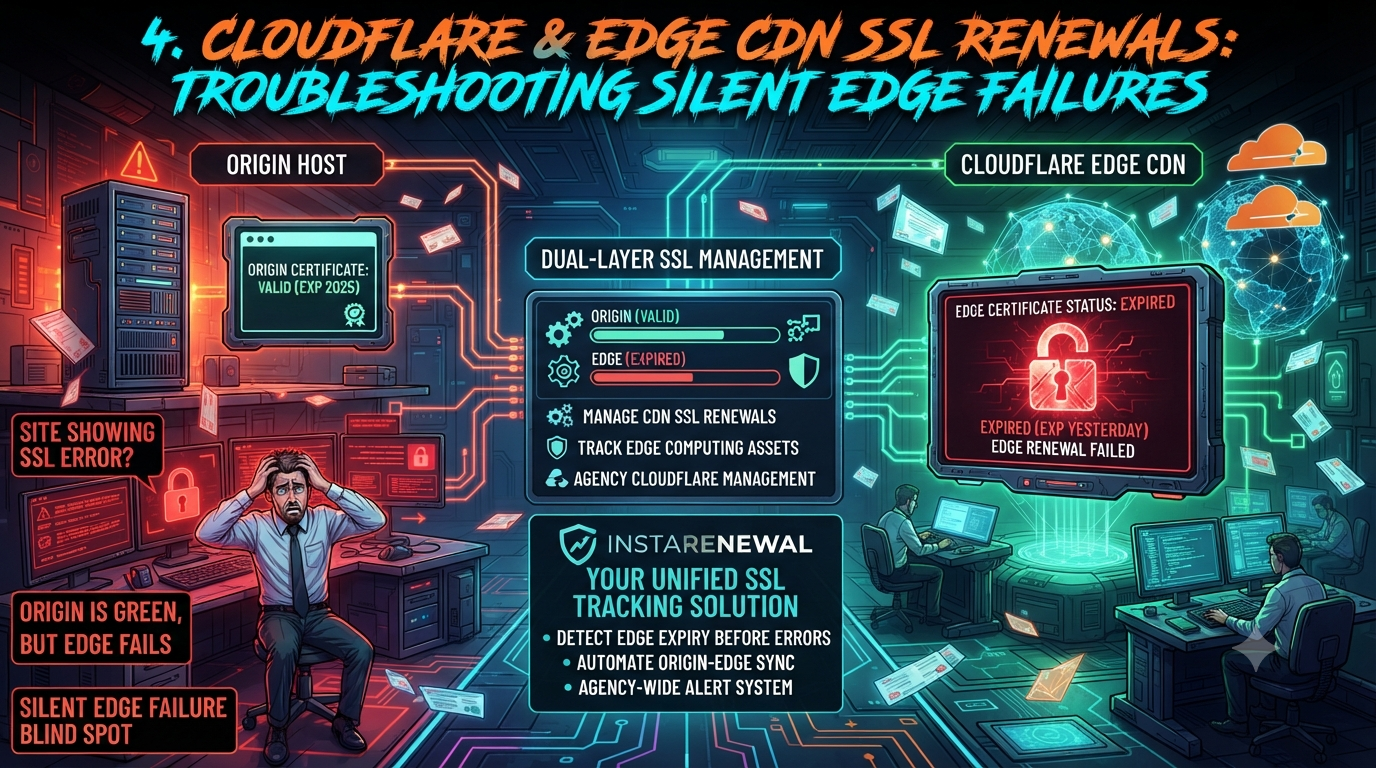
Cloudflare & Edge CDN SSL Renewals: Troubleshooting Silent Edge Failures
As web architecture has evolved, the days of managing a single SSL certificate on a single origin web server are largely over. The shift toward edge content delivery networks (CDNs) like Cloudflare has brought real performance and security benefits. But it has also introduced a layer of technical complexity that catches many system administrators and web agencies off guard: dual-layer SSL management.
When a site sits behind a service like Cloudflare, traffic doesn't flow directly from the visitor's browser to the origin server. Two separate connections — and two separate certificates — are involved in a single request:
- The edge certificate — encrypts traffic between the visitor's browser and the Cloudflare edge server.
- The origin certificate — encrypts traffic between the Cloudflare edge server and the actual origin web server.
This dual-layer architecture is what produces "silent edge failures": situations where a website throws an SSL warning to visitors even though the agency's hosting dashboard shows the origin certificate is perfectly valid.
This guide covers why edge SSL failures happen, how to troubleshoot the most common Cloudflare certificate errors, and how agencies can build tracking that closes the blind spot.
1. Anatomy of an Edge SSL Failure: Why Origin-Only Tracking Fails
When an agency relies solely on its hosting provider (cPanel, RunCloud, SpinupWP, and similar) to track SSL health, it only sees half the picture. If the origin server auto-renews its Let's Encrypt certificate, the administrator reasonably assumes everything is fine.
But visitors connect to the edge, not the origin. If the edge certificate fails to provision or renew, browsers show warnings like "Your connection is not private" (Chrome) or an equivalent SSL error page in Firefox.
These failures most often trace back to specific Cloudflare configuration issues or domain control validation (DCV) problems — not anything wrong at the origin.
2. Troubleshooting "Cloudflare Edge Certificate Expired" Errors
If a visitor reports an SSL error but the origin server confirms its own certificate is valid, the issue lives at the edge. Here are the primary causes and how to resolve each one.
A. The "Universal SSL Pending" Trap
Cloudflare automatically issues a free Universal SSL certificate for every domain added to the platform. That certificate has to clear domain control validation with one of Cloudflare's partner certificate authorities before it goes live.
The problem: Issuance normally completes within minutes of a zone going active, and Cloudflare's own documentation cites up to 24 hours as the outer window. If a certificate sits on "Pending Validation" well past that, the most common blockers are:
- The zone hasn't actually finished activating (old nameservers still showing at the registrar).
- A CAA (Certificate Authority Authorization) DNS record — on the domain itself or inherited from a parent domain — doesn't permit one of Cloudflare's partner CAs to issue.
- Leftover DNSSEC records are interfering with validation.
The solution:
- Check SSL/TLS → Edge Certificates in the dashboard. If there's no certificate of type "Universal," it hasn't provisioned yet.
- Check for CAA records. As of Cloudflare's current documentation, its partner CAs are Let's Encrypt (
letsencrypt.org), Google Trust Services (pki.goog), SSL.com (ssl.com), and Sectigo (sectigo.com) — the exact list has changed over time and can change again without notice, so don't hardcode it into a runbook without a periodic re-check. If a CAA record only names other CAs, issuance will be refused. - If using a Partial (CNAME) setup, remember DCV records live at the authoritative DNS host, not inside Cloudflare.
- As a last resort, toggling Universal SSL off and back on can nudge a stuck validation, though this isn't guaranteed to fix it.
B. Subdomain Mismatches (The "Second-Level" SSL Error)
This is the part of the original guidance that needs the most correction, because the fix depends entirely on which setup type the zone is using.
On a Full setup (Cloudflare runs the authoritative nameservers), free Universal SSL covers only the apex domain and one level of subdomain — example.com and blog.example.com, but not dev.www.example.com. A staging site built at a second-level subdomain and proxied through Cloudflare will get an immediate browser warning.
On a Partial (CNAME) setup, this problem mostly doesn't apply: each proxied subdomain, regardless of depth, gets its own Universal SSL certificate automatically, with no extra purchase required. This distinction matters when troubleshooting — check which setup type the zone is actually using before assuming a paid fix is necessary.
For Full-setup zones with genuine second-level coverage gaps, the options are:
- Purchase Advanced Certificate Manager ($10/month per zone, per Cloudflare's current add-on pricing) and enable Total TLS, which then automatically issues certificates for proxied hostnames at any subdomain depth. Total TLS is not a free toggle — it's a feature unlocked by the paid add-on. This is a correction to the common assumption that it's a no-cost setting.
- Order an Advanced Certificate manually for the specific hostname, also gated behind the same add-on.
- Grey-cloud the DNS record (set it to "DNS Only") if the origin server already holds a valid certificate for that subdomain — this bypasses the edge entirely for that hostname, at the cost of losing Cloudflare's proxy protections for it.
C. Ghost Certificates from Previous Hosts (Custom Hostname Priority)
One of the most confusing edge failures shows up when an agency migrates a client off a SaaS platform (Shopify, WP Engine, and similar) that manages its own Cloudflare-powered SSL through "Cloudflare for SaaS."
The problem: Cloudflare resolves which certificate to serve for a given hostname using a strict priority order. Per Cloudflare's own documentation, when multiple certificate types could match the same hostname, the order runs:
- Keyless SSL
- Custom (legacy)
- Custom (modern)
- Custom Hostname (Cloudflare for SaaS)
- Advanced
- Advanced — Total TLS
- Universal
Custom Hostname certificates from a SaaS provider's Cloudflare for SaaS integration outrank both Advanced and Universal certificates. If the old SaaS host doesn't cleanly remove the domain from its integration, the edge can keep serving that provider's old, expiring certificate instead of falling back to the agency's own Universal SSL — confirming the original diagnosis was correct.
The solution: Contact the previous SaaS host and have them remove the custom hostname routing from their Cloudflare for SaaS integration. You can confirm which certificate is actually being served with openssl s_client -connect example.com:443 -servername example.com from the command line, independent of what the dashboard implies should be active.
D. The 526 Error: "Invalid SSL Certificate"
Sometimes the edge certificate itself is fine, but Cloudflare returns a 526 error page to the visitor.
The problem: A 526 means the TLS handshake between Cloudflare and the origin succeeded, but Cloudflare rejected the certificate the origin presented — because it's expired, self-signed, hostname-mismatched, or missing its intermediate chain. This only happens when the SSL/TLS encryption mode is set to Full (Strict), which validates the origin's certificate. (Note: a related error, 525, is different — it means the handshake itself failed outright, usually a cipher, protocol, or port problem, before a certificate was ever evaluated.)
The solution:
- Verify the origin certificate's expiration date and hostname match directly.
- Confirm the origin serves the full chain — leaf certificate plus required intermediate CAs, not just the leaf.
- As a temporary workaround to restore the site, downgrading from Full (Strict) to Full will encrypt the connection without validating the origin's certificate. This restores uptime but removes an important security check — treat it as a stopgap, not a fix.
3. How to Manage CDN SSL Renewals at Scale
When an agency manages dozens or hundreds of client sites, manual troubleshooting doesn't scale. Managing CDN SSL renewals at that volume means moving away from origin-only dashboards toward unified, cross-layer tracking.
Delegated DCV. If a client's DNS is managed outside Cloudflare (a Partial setup), delegated DCV lets Cloudflare handle domain control validation automatically in the background, so renewals don't stall on a missing TXT record months later.
Monitoring custom uploaded certificates. Universal SSL renews itself automatically, but any certificate an agency uploads manually does not — Cloudflare does not manage issuance or renewal for custom certificates. Cloudflare sends email notifications 30 and 14 days before a custom certificate expires, addressed to accounts holding the SSL/TLS, Administrator, or Super Administrator role. If no replacement is uploaded in time: when a valid replacement covering the same hostnames is already active, Cloudflare quietly removes the expiring certificate in the 24 hours before it lapses with no visitor-facing downtime; when no replacement exists, Cloudflare removes the certificate only after it expires, and the domain falls back to any other active certificate covering those hostnames — or breaks entirely if none exists.
4. Why This Problem Is About to Get More Frequent
Certificate lifespans are shrinking industry-wide, which raises the stakes on tracking gaps like the ones above. The CA/Browser Forum's Ballot SC-081v3, approved in April 2025, sets a phased schedule cutting maximum TLS certificate validity from the historical 398-day ceiling down to 47 days by March 15, 2029, with intermediate steps at 200 days and 100 days along the way. Corresponding domain control validation reuse windows are shrinking on a similar timeline.
The practical effect: an organization managing roughly 1,000 certificates on a 398-day cycle today will be looking at close to eight times as many renewal events per year once the 47-day ceiling takes effect. Manual, spreadsheet-based tracking that barely holds up now will not hold up under that renewal frequency.
This trend is already showing up in outage data. Keyfactor's 2024 PKI and Digital Trust Report found respondents experienced an average of more than three certificate-related outages over a two-year period, and separate 2025 research from CSC estimated that 40% of enterprises were at risk of an SSL-related outage tied specifically to validation-method changes. Neither study isolates edge-vs-origin SSL specifically, but both point to the same underlying pattern this guide is describing: certificate visibility gaps, not certificate technology, are what cause outages.
5. Closing the Blind Spot with Centralized Tracking
The complexity of dual-layer SSL is a good illustration of why tracking domains and origin hosting alone is no longer enough. A purpose-built asset tracker like InstaRenewal can help close part of this gap, within a specific and honest scope:
- Recording both layers side by side. InstaRenewal lets an agency log the origin certificate's expiration date (from RunCloud, cPanel, or wherever it's managed) and the edge certificate's expiration date (Universal SSL, Advanced, or a custom upload) for the same site in one place. That prevents the common mistake of treating "origin renewed" as proof that "the visitor connection is secure" — they're two different facts that this guide has shown can diverge.
- Renewal reminders as a second layer. For custom-uploaded edge certificates, InstaRenewal can send its own expiration reminders based on the dates an agency records. This is a useful backstop alongside Cloudflare's built-in 30- and 14-day emails, particularly if those emails go to a shared inbox nobody checks regularly.
- Ownership and asset mapping. For agencies juggling many client zones, having a single record of which subdomain uses which certificate type, and who's responsible for renewing it, reduces the odds that a second-level staging subdomain or a leftover SaaS integration gets missed during a migration.
It's worth being precise about what this kind of tool does and doesn't do: it tracks renewal dates and ownership records that an agency enters or connects, rather than continuously scanning the public internet for live certificate failures the way a dedicated uptime or security monitoring service does. For catching an edge certificate that silently reverted to "Pending" an hour ago, real-time external monitoring is still the right tool. For making sure nobody forgets a renewal is coming, or loses track of which certificate governs which hostname across dozens of client zones, that's the gap this kind of tracking is built to close.
Conclusion: Mastering the Edge
Moving client infrastructure to an edge CDN is the right call for performance and security. But it requires an operational shift: a green checkmark in cPanel no longer guarantees the visitor sees a secure connection. Understanding Cloudflare's certificate priority order, knowing the real difference between Full and Partial setup coverage, and keeping a centralized record of both origin and edge certificate dates are what let an agency manage dual-layer architecture without getting caught by a silent edge failure.
---
Sources
- Cloudflare Developer Docs — Universal SSL enablement, limitations, and validity periods
- Cloudflare Developer Docs — Advanced certificates and Total TLS
- Cloudflare Developer Docs — Certificate and hostname priority
- Cloudflare Developer Docs — CAA records and certificate authorities
- Cloudflare Developer Docs — Custom certificate renewal and expiration
- Cloudflare Developer Docs — Error 526 troubleshooting
- CA/Browser Forum — Ballot SC-081v3 (April 2025)
- Keyfactor, 2024 PKI and Digital Trust Report
- CSC, 2025–2026 research on SSL/DCV-related outage risk