How to Manage Client Domains at Scale: The Complete Agency Guide
It usually starts with a single client. You register their domain, configure their web host, and log the credentials into a simple Google Sheet. It takes five minutes, and the system works flawlessly.
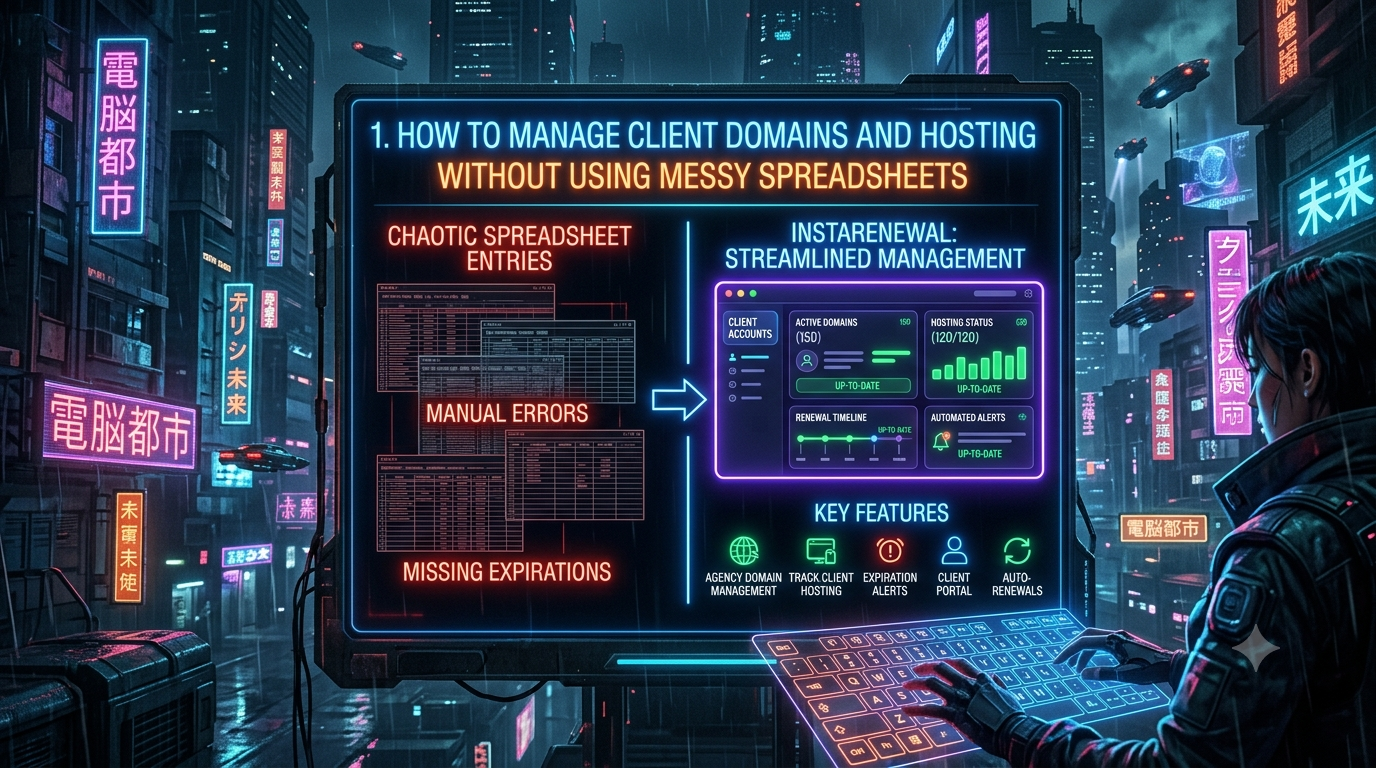
Fast forward two years. Your agency is juggling 75 active websites scattered across a dozen different registrars and hosting environments. Your master spreadsheet has devolved into a tangled web of colour-coded rows, outdated passwords, and overlapping renewal dates.
If you run a digital agency, one of your worst nightmares is the "Our website is down" email from a furious client — only to discover that their domain expired over the weekend because someone forgot to update row 42 on the spreadsheet.
Learning how to efficiently manage client domains is a critical operational hurdle for scaling agencies. This guide breaks down the exact processes, security protocols, and infrastructure strategies needed for modern agency domain management. We also explore the real risks of manual tracking, what to look for in purpose-built alternatives, and why the spreadsheet era needs to end.
---
The Real Cost of a Missed Domain Renewal
When a spreadsheet fails and a domain expires, the fallout extends far beyond a temporary website outage. The domain lifecycle is unforgiving, and the financial and reputational damage can be catastrophic.
When a domain registration lapses, it enters a strict timeline governed by ICANN (the Internet Corporation for Assigned Names and Numbers). Here is how it plays out, step by step:
The Grace Period (0 to 45 days)
Immediately upon expiration, the domain stops resolving. The website goes dark, and all associated email addresses bounce. During this window — which typically runs 30 to 45 days depending on the registrar and TLD — the owner can still renew at the standard rate. According to Verisign's Q2 2024 Domain Industry Brief, approximately 65% of expired domains are renewed during this period, meaning most never progress beyond it. Your job, as an agency, is to ensure your clients are always in that majority.
The Redemption Period (30 days)
If the grace period passes without renewal, the domain enters what ICANN formally calls the Redemption Grace Period (RGP). As codified in ICANN's Expired Registration Recovery Policy (updated February 2024), registries must offer a 30-day window during which the domain can still be restored — but only by the original registrant, and only through the registrar that deleted it. Redemption fees are steep: typically $80 to $200 or more on top of the standard renewal cost, depending on the registrar.
Pending Delete (5 days)
The domain is locked. No one can renew it, transfer it, or register it. It is queued for deletion.
The Drop
Once the domain enters the open market, it becomes the target of automated "drop-catching" systems — software that submits thousands of registration requests the moment a domain is released. This is a multimillion-dollar industry dominated by companies like DropCatch, NameJet, and SnapNames. Domain squatters use these tools to acquire high-authority expired domains, stripping them for SEO value or holding them for ransom. According to the World Intellectual Property Organization (WIPO), there were 6,168 domain name disputes in 2024 — many arising directly from this kind of opportunistic registration.
If a client's domain reaches the drop phase because your agency failed to track the renewal, you are not just looking at a lost client. You may be looking at a domain ransom, an SEO crater, and potential legal liability.
---
A Note on WHOIS: What Changed in January 2025
Until recently, agencies could look up domain expiry dates and ownership details through the WHOIS protocol. That era is over for most domains.
On 28 January 2025, ICANN officially sunsetted WHOIS and replaced it with the Registration Data Access Protocol (RDAP) as the definitive source for gTLD registration information. RDAP is more secure (it uses HTTPS), machine-readable, and privacy-aware — supporting tiered access so that the general public sees limited data, while law enforcement and IP enforcement bodies can access fuller records through a formal request process.
The practical implication for agencies: tools and workflows that relied on scraping WHOIS records for expiry dates need updating. Purpose-built domain management platforms that integrate directly with registrar APIs are now the reliable alternative.
---
The Spreadsheet Trap: Why Manual Tracking Fails
Agencies default to spreadsheets because they are free, customisable, and universally understood. As a tool for domain management, however, the spreadsheet is fundamentally broken — in three distinct ways.
1. Data Decay and Human Error
A spreadsheet is a static document living in a dynamic world. If a client updates their billing information directly with their registrar, or changes their nameservers, your spreadsheet does not update automatically. You are entirely dependent on manual data entry. When an account manager leaves, or simply forgets to log a change, your master document becomes inaccurate.
2. No Active Alerts
Spreadsheets are passive. They do not notify your team when a domain is 30 days from expiry. Agencies try to work around this with calendar reminders, but this creates operational bloat, and when renewal dates shift, those reminders become worthless. Under ICANN's Expired Registration Recovery Policy, registrars are required to send at least two reminders before expiry — one between 26 and 35 days prior, and one between 4 and 10 days prior — but those reminders go to whoever is registered as the account holder, not necessarily your team.
3. Critical Security Risks
Storing registrar credentials, FTP passwords, and hosting logins in a shared Google Sheet is a serious cybersecurity exposure. Research by Metomic, scanning approximately 6.5 million Google Drive files, found that 40% contained sensitive data that could put an organisation at risk — and over 34% of all files scanned had been shared with external contacts. Google Sheets does not enable end-to-end encryption by default: Google manages the encryption keys, which means that if a Google account is compromised, every password in that sheet is exposed in plain text the moment someone opens it. For an agency managing dozens of client credentials, this is not a theoretical risk — it is a ticking clock.
---
The Golden Rules of Agency Domain Management
Before looking at software solutions, standardise your agency's policies. The most resilient agencies operate on a few non-negotiable rules.
Rule 1: The Client Must Own the Domain
Never register a client's primary domain under your agency's name or a personal email address. It creates a legal liability and a massive conflict of interest if they ever choose to leave.
Best practice: Advise the client to purchase the domain under their own company name and credit card. Once they own it, have them grant your agency delegate or collaborator access — a feature supported by all major registrars including GoDaddy, Namecheap, and Cloudflare. This gives you full technical control over DNS records without you owning the legal asset.
Rule 2: Consolidate Where Possible
Managing domains across 15 different providers is chaotic. You cannot always control where a new client originally registered their domain, but you can incentivise consolidation. Pick one or two preferred registrars and offer free migration assistance during onboarding. Fewer platforms means fewer logins, fewer renewal calendars, and far fewer opportunities for something to slip through the cracks.
Rule 3: Enforce Strict Domain Security
Every domain your agency touches should have the following protections in place:
- Registrar lock: Prevents unauthorised transfer requests. This should always be on.
- Privacy protection: Shields registrant details from public RDAP lookups and the aggressive spam, phishing, and domain-ransom attacks that target publicly listed contacts.
- Two-factor authentication (2FA): Every registrar account your agency accesses must have 2FA enabled. No exceptions.
---
How to Track Client Hosting Effectively
Domains need to be renewed. Hosting is an active environment that requires constant monitoring. To properly track client hosting, you need visibility into several moving parts.
Infrastructure Types
Your tracking system must account for where each site lives: shared hosting (like SiteGround or Bluehost), managed WordPress hosting (like WP Engine or Kinsta), or custom Virtual Private Servers (VPS) on providers like DigitalOcean or AWS. Each carries a different renewal model, a different support contact, and different risk profile.
Monitoring SSL Certificates
An expired SSL certificate is just as damaging as an expired domain. When an SSL certificate lapses, browsers including Chrome and Safari display a full-page "Your connection is not private" warning, effectively blocking all visitor traffic. For transactional websites, this can mean thousands of dollars in lost revenue per hour.
The problem is compounded by the fact that auto-renewal — even with Let's Encrypt — fails more often than people expect. Common failure modes include stopped cron jobs, port-80 blockages, DNS validation mismatches, and firewall rule changes. Let's Encrypt certificates are valid for 90 days; the recommended renewal window is every 60 days, meaning a failure that goes undetected for even a few weeks can leave a client exposed. High-profile examples of SSL failures taking major platforms offline include Microsoft Teams (February 2020) and Spotify — both caused by certificates on infrastructure that wasn't covered by standard monitoring.
Your tracking system must monitor SSL validity independently of the host's own auto-renewal process.
Bandwidth and Resource Limits
If your agency resells hosting, track when clients are approaching storage or bandwidth thresholds. Hitting a limit can result in the host throttling or taking the site offline entirely — often without warning. Monitoring these proactively lets you reach out with an upsell conversation before the site crashes during a traffic spike.
---
Mastering DNS and Email Deliverability
Agency domain management is no longer just about websites. It is deeply tied to email infrastructure, and the stakes have risen significantly in recent years.
In February 2024, Google and Yahoo implemented mandatory email authentication requirements for bulk senders — any domain sending 5,000 or more emails per day to Gmail or Yahoo addresses. As of November 2025, Gmail has tightened enforcement further, with non-compliant messages now facing temporary and permanent rejection at the SMTP level. In May 2025, Microsoft joined them, requiring DMARC compliance for bulk senders to Outlook, Hotmail, and Live addresses.
When you take over a client's domain, you must audit and correctly configure:
- A and CNAME records: Pointing the domain to the correct web server.
- MX records: Directing incoming email to Google Workspace, Microsoft 365, or the client's preferred inbox provider.
- SPF (Sender Policy Framework): A DNS TXT record that lists the IP addresses authorised to send email on behalf of the domain.
- DKIM (DomainKeys Identified Mail): A cryptographic signature — with a minimum 1024-bit key, 2048-bit recommended — that verifies email content was not tampered with in transit.
- DMARC (Domain-based Message Authentication, Reporting, and Conformance): A policy telling receiving mail servers what to do when an email fails SPF or DKIM checks. A minimum policy of
p=nonesatisfies current requirements, but staying atp=noneindefinitely signals you are not acting on authentication data.p=quarantineorp=rejectis increasingly the professional standard.
Managing these complex TXT records inside a spreadsheet cell is a formatting nightmare. A single misplaced character in an SPF record can send all of a client's emails straight to spam — an outcome that is invisible until a client calls asking why their newsletter open rates have collapsed.
---
Agency Pricing Models: Reseller vs. Retainer
How you track these assets depends heavily on how you bill for them.
The Hands-Off Model (Client Pays Direct)
The client's credit card is on file with the registrar and host. Your agency is the technical administrator. Your main job is monitoring — ensuring their card hasn't expired, and prompting them to update payment methods before renewal dates approach.
The White-Label Reseller Model
Your agency pays wholesale costs for hosting and domains, billing the client a flat monthly or annual fee (e.g., a "Care & Hosting" plan). This model is highly profitable but carries significant operational risk. If a client stops paying, you need a clear process for pausing their hosting. If you lose track of dates, you end up renewing infrastructure out of pocket for clients who churned months ago. This model demands particularly tight tracking.
---
What to Look for in a Domain Management Platform
When you decide to move beyond manual tracking, evaluate software platforms carefully. The best agency solutions bridge the gap between technical monitoring and client management. Demand the following features:
Automated expiration alerts that notify your team proactively — at 60, 30, and 7-day marks — via email or Slack, without requiring anyone to log in and check.
API registrar syncing that integrates directly with major registrars so that when a renewal date changes at the source, your dashboard updates automatically. This is the critical gap that spreadsheets can never close.
SSL certificate monitoring that validates certificates independently of the host's own renewal process, catching silent failures before they become client-visible outages.
DNS change alerts that notify your team immediately if a DNS record is altered — for example, if a client accidentally deletes an A record after logging into their registrar.
Secure credential storage using zero-knowledge encryption and role-based access controls for your team. Credentials stored in a shared sheet are one phishing attack away from becoming a major breach.
Billing alignment that surfaces discrepancies between domain expiry dates and client invoice cycles, so you are never renewing infrastructure for accounts that have already churned.
---
Migrating Off Your Spreadsheet: A Safe Four-Step Process
Transitioning away from your legacy spreadsheet can feel daunting, but it can be done in an afternoon if approached correctly.
Step 1: Audit your current data before migrating
Do not migrate bad data. Before importing anything, manually verify that every client is accounted for. Flag any domain expiring within the next 45 days and renew those immediately. Clear the immediate risk before touching the migration.
Step 2: Bulk import and auto-verify
Use your platform's bulk import tool to upload your domain list as a CSV. A good tool will query the registrar data automatically — pulling correct expiry dates, current nameservers, and registrar information — and overwrite your potentially outdated spreadsheet data with verified facts.
Step 3: Connect registrar APIs
For the registrars where you hold the most domains, connect their API keys. This transforms your dashboard from a static list into a live, syncing system. Changes at the registrar level propagate automatically.
Step 4: Configure alert routing
Route 60-day warnings to account managers so they can invoice clients in advance. Route urgent 7-day warnings and SSL failure alerts directly to your development team's Slack channel for fast action. A tiered alert strategy means the right person is always notified at the right time.
---
Conclusion
The tools that got your agency to its first ten clients are rarely the tools that will carry you to your hundredth. Managing client infrastructure on a spreadsheet is a calculated gamble where the stakes are your agency's reputation and your clients' businesses.
A missed renewal is not just a technical glitch. It is a breach of trust that can cascade into lost SEO authority, email deliverability failures, ransom negotiations, and client churn. By standardising your policies, enforcing proper DNS hygiene, and replacing manual tracking with a purpose-built platform, you remove human error from the equation entirely.
The operational overhead of running a modern agency is significant enough without your team spending mental bandwidth worrying about whether row 42 is accurate. Invest in a system that watches for you — so your team can focus on what they actually do best: building excellent digital experiences for the clients who trust you with their online presence.