
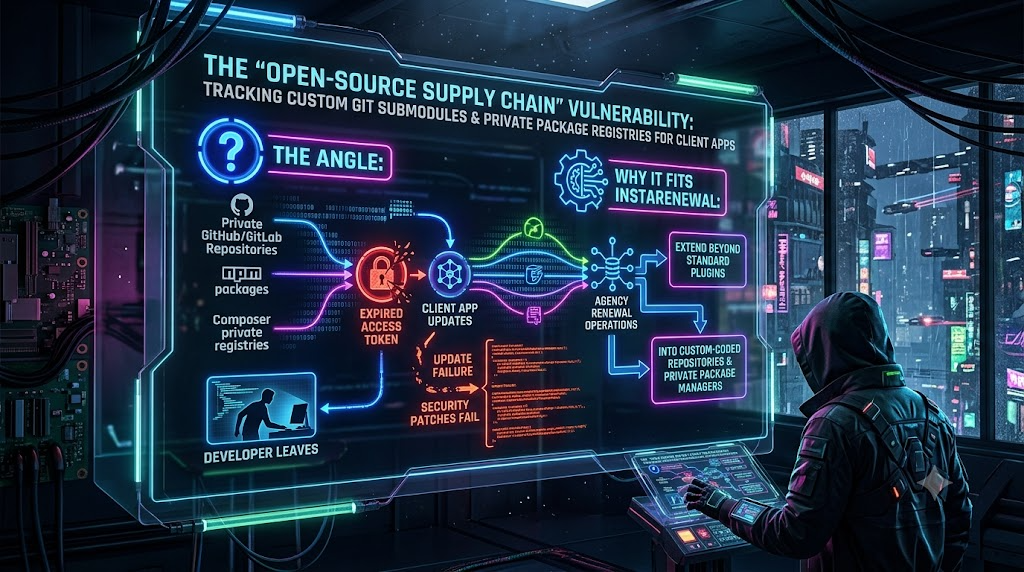
Modern web agencies rarely build client applications entirely from scratch. They assemble tailored web apps from a modular blend of open-source libraries, internal boilerplates, private GitHub or GitLab repositories, proprietary npm packages, and private PHP Composer registries.
This architecture speeds up delivery and cuts duplicated work. It also creates a blind spot: the agency’s private supply chain. Private dependencies, submodules, and registry tokens are often tied to the personal accounts of individual developers. When a developer leaves unexpectedly, a token expires, or a repository permission is set wrong, client update pipelines stop. Security patches don’t deploy, and automated builds fail. Clients stay exposed to known vulnerabilities while the agency works out why its own pipeline can no longer reach its own code.
This article covers how these failures happen, which recent platform changes make them more likely, and how to harden the setup.
1. The Anatomy of the Agency Supply Chain Blind Spot
Enterprise supply chain security usually focuses on public registries such as npm or PyPI and on threats like dependency confusion and typosquatting. Agencies face those risks too. They also face an operational one that gets less attention: who actually holds the keys to the private pieces?
A typical agency workflow looks like this:
- Private Git submodules: Reusable UI components, authentication modules, or design systems are pulled into client repositories through Git submodules (
.gitmodules), which pin each client repository to a specific commit of the shared code. - Private package registries: Custom business logic, helper libraries, and proprietary themes live in private npm organizations, GitHub Packages, Private Packagist, or self-hosted Satis servers.
- Developer-bound credentials: CI/CD pipelines, local environments, and staging servers authenticate against these private assets using tokens or SSH keys that a specific employee created.
Why Personal Credentials Creep In
The personal-token habit is partly a platform quirk. In GitHub Actions, the built-in GITHUB_TOKEN is scoped to the repository running the workflow. The long-standing guidance in the actions/checkout documentation is that if a repository contains submodules from other private repositories, you must supply a separate credential, typically a personal access token (PAT) stored as a secret. The fastest fix on a deadline is to paste in whoever’s PAT works, and that token then ends up in dozens of client repositories.
The Point of Failure
A personal access token can only reach what its owner can reach. When the original developer leaves, is removed from the organization, or has their account suspended, the implicit trust chain breaks. If their registry account was registered to a company mailbox that gets deactivated, the agency may also lose the ability to receive password-reset and 2FA emails for that registry account.
The next npm install, composer install, or git submodule update --init then fails with a 401, a 403, or a misleading 404, since private resources often return “not found” to unauthenticated callers. When a critical CVE lands in a core library, the agency cannot ship the fix because its pipeline is locked out of its own private dependencies.
2. Technical Vectors: How Private Submodules and Registries Fail
To prevent supply chain paralysis, technical leads and agency operations staff need to understand the specific failure modes.
A. The Git Submodule Trap
A submodule is a pointer from a parent repository to an exact commit in another repository. That makes builds reproducible, but it adds fragility in agency environments:
- Authentication friction: A submodule can point to a private repository over HTTPS or SSH. Cloning with
git clone --recurse-submodulesrequires access to every one of them. Per GitHub’s own guidance, deploy keys are scoped to a single repository and are not linked to organization membership. Several private submodules therefore need several keys, or one shared machine identity. - Unpushed submodule commits: The parent repository records only a commit hash. If a developer commits inside a submodule folder but never pushes, the parent now references a commit that exists only on their laptop. Everyone else’s clone, and every CI run, fails to fetch it. Uncommitted edits inside a submodule never reach the parent at all.
- Detached HEAD confusion: Submodules check out a specific commit rather than a branch, so developers who commit without switching to a branch can lose track of their work.
- Hostile-repository risk: Git has had real submodule-related vulnerabilities. CVE-2024-32002 allowed remote code execution during recursive clones on case-insensitive, symlink-capable filesystems, and it was patched in Git 2.45.1 and the backported maintenance releases. CVE-2025-48384 abused how Git handles a carriage return at the end of a submodule path in
.gitmodules. It allowed arbitrary file writes and code execution on Linux and macOS duringgit clone --recursive, and Git shipped fixes on July 8, 2025. CISA added it to its Known Exploited Vulnerabilities catalog in August 2025. Both attacks need a malicious repository to be cloned. They matter most for CI systems or developers that clone third-party code with--recursivewhile holding valuable credentials.
B. Expiring Tokens and Silent Pipeline Breakage
The ecosystem has been moving away from long-lived tokens, and several changes have already reached agency pipelines:
- npm classic tokens are gone. npm permanently revoked all classic tokens on December 9, 2025. Any pipeline still using one stopped working that day.
- Logging in now yields a session token.
npm loginissues a two-hour session token rather than a long-lived one. - Granular write tokens are capped. Write-enabled granular tokens default to seven days and cannot exceed 90 days. In practice, a CI secret holding a write token must be replaced at least every 90 days.
- Read-only tokens have their own expiry. Installing private packages in CI needs only a read-only granular token, but its expiry date is still set at creation. Someone has to know when it runs out.
- GitHub PAT lifetimes depend on org policy. Fine-grained PATs can be created without an expiry unless an organization or enterprise owner sets a maximum lifetime. The default organization maximum for fine-grained tokens is 366 days. Owners can also require approval for fine-grained tokens, but classic PATs are not subject to that approval step.
- Fine-grained PATs cannot access GitHub Packages. GitHub lists this as a current limitation, so many agencies still depend on classic PATs, or on
GITHUB_TOKENinside Actions, for private package installs. - GitLab tokens expire too. Project and group access tokens default to a 365-day maximum lifetime, and non-expiring tokens were removed in GitLab 16.0. Each one creates a bot user, so it is not tied to a person, but it still expires.
The failure pattern is the same on every platform. Code validation and unit tests pass, then the build fails at the install, packaging, or deployment step because a token quietly lapsed.
| Traditional Approach (Vulnerable) | Modern Secure Alternative |
|---|---|
A literal _authToken value committed in .npmrc. | .npmrc referencing an environment variable (for example ${NPM_TOKEN}), with the value injected from the CI secret store. |
| PATs tied to individual developer accounts. | GitHub App installation tokens, machine users, deploy keys, or GitLab project and group access tokens, each with a named owner. |
| Long-lived write token used to publish from CI. | npm trusted publishing (OIDC) for the publish step. |
| One shared read token, nobody knows when it expires. | Read-only, scoped tokens with a recorded expiry date and a named owner. |
| Manual updates after the build breaks. | A written rotation schedule with reminders set before expiry. |
3. Real-World Evidence: Why Credential Hygiene Matters Beyond Continuity
Lost access is not the only risk. Credentials sitting in CI systems are an attack target, and recent incidents show it:
- tj-actions/changed-files (March 2025). Attackers modified the popular GitHub Action so that it printed CI secrets into workflow logs. The advisory counts more than 23,000 repositories using the action, and CISA added CVE-2025-30066 to its Known Exploited Vulnerabilities catalog. Industry reporting traced the chain back to a stolen personal access token. Exposed secrets included GitHub PATs and npm tokens, which is why a broadly scoped, long-lived token in one repository can become everyone’s problem.
- Shai-Hulud (2025). This self-propagating worm harvested developer and CI secrets and used them to compromise more packages. Its second wave in November 2025 hit more than 830 npm packages and spread into the Maven ecosystem.
These incidents show why replacing a leaver’s token with another long-lived, broadly scoped token is not enough. Credentials should be scoped to the minimum, short-lived where possible, and owned by a role rather than a person.
4. Illustrative Scenario
The following scenario is hypothetical but typical:
Agency X builds headless WordPress and Next.js sites for 40 small and midsize clients. It uses a private npm package, @agency/auth-toolkit, to handle single sign-on across them.The senior developer who set up CI/CD three years ago leaves. Their personal npm token is saved as a secret in all 40 client repositories. It is either revoked during offboarding or silently reaches its expiry date.
Weeks later, a high-severity advisory lands against a dependency of@agency/auth-toolkit. The agency bumps the package and tries to roll the update out through GitHub Actions. Every client build fails atnpm ciwith an authentication error.
Engineers spend the day regenerating tokens, updating secrets across 40 repositories, and re-running pipelines, while client sites stay on the vulnerable version.
The fix would have taken minutes if the credentials had been owned by the organization, centrally managed, and tracked with an expiry date.
5. Best Practices for Hardening the Agency Supply Chain
1. Move from Personal Credentials to Organization-Owned Identities
Don’t let individual accounts authenticate CI/CD pipelines or hold private registry credentials. Choose from the options below, in the order GitHub itself suggests:
- Prefer GitHub Apps where possible. GitHub’s documentation recommends GitHub Apps over deploy keys and machine users for fine-grained control. Their installation access tokens are decoupled from any individual user, which makes them comparable to service tokens.
- Use deploy keys for single-repository read access. They are simple and not tied to a person. They are scoped to one repository, so each private submodule needs its own key.
- Use a machine user when nothing else fits. A dedicated bot account (for example
ci-bot@youragency.com, owned by a shared mailbox) can be added to the organization with read-only access to just the repositories the build needs. On a paid plan it typically occupies a seat like any other member. - On GitLab, use project or group access tokens. They are tied to a bot user rather than a person and are limited to the resources the token needs.
- Apply least privilege. Read-only is enough for most CI jobs that install dependencies and run tests.
- Own the mailbox. Register registry and bot accounts to a shared alias that more than one person controls, so recovery and 2FA emails never depend on one individual’s inbox.
2. Use OIDC Trusted Publishing, but Understand What It Covers
npm trusted publishing with OpenID Connect became generally available on July 31, 2025. It lets GitHub Actions or GitLab CI/CD workflows publish packages without storing a long-lived npm token. It requires npm CLI 11.5.1 or later and works for private and public packages.
It does not remove every token from the pipeline. npm’s own documentation says trusted publishing is not intended for npm install. A build that installs private dependencies still needs a read-only granular token, and OIDC covers only npm publish-style operations, not every command. If an agency’s pain point is builds failing to pull @agency/* packages, OIDC does not solve it.
The practical setup is OIDC for publishing from CI, plus one scoped, read-only token for installs. That token needs a recorded owner and a rotation reminder.
3. Handle Composer Credentials Deliberately
Composer reads credentials from auth.json (per project or global) or from the COMPOSER_AUTH environment variable. Keep them out of composer.json and out of version control. Pass them from the CI secret store instead.
Private Packagist’s documentation recommends read-only tokens for CI that runs composer install against an existing composer.lock. These tokens do not count as users in the organization, but they aren’t suitable for composer update. For GitHub-hosted private packages, Composer supports github-oauth tokens, which raises the same personal-token question covered above.
4. Protect Your Namespace
Register your organization scope on the public npm registry, even if every package under it is private. An unclaimed internal scope or package name lets an attacker publish a lookalike on the public registry. A misconfigured build can then resolve the public copy instead of your private one, which is the dependency confusion scenario.
5. Audit and Document Git Submodules
- Keep an inventory. Record which client apps use which submodules, which repository each one points to, and which credential fetches it.
- Consider migrating to packages. If submodules cause frequent friction, move reusable code into private npm or Composer packages, where version constraints (such as
^1.2.0) are resolved by the package manager rather than by raw commit hashes. - Pin and update Git. Keep Git current on CI runners and developer machines, since both submodule CVEs above were fixed in Git releases. Avoid
--recursiveclones of untrusted repositories. - Review access regularly. Confirm that deploy keys and SSH keys tied to submodules are still valid and owned by the organization.
6. Pin and Harden Your CI Pipeline
- Pin third-party Actions to a full commit SHA. The tj-actions incident worked by moving existing version tags to a malicious commit. A tag is not a fixed reference.
- Limit secrets. Pass each job only the secrets it needs, and avoid printing environment values in logs.
- Store secrets in a managed system. Use GitHub Actions Secrets, GitLab CI/CD Variables, or a dedicated secrets manager rather than local developer machines.
7. Build an Offboarding and Expiry Routine
Technical controls still need an owner and a calendar. At a minimum:
- Maintain a register of every private registry, submodule source, token, and deploy key, covering where it is used, who owns it, what scope it has, and when it expires.
- Add credential rotation to offboarding. Before a developer’s last day, check which pipelines, secrets, and registry accounts depend on their personal identity.
- Set reminders ahead of expiry. With npm write tokens capped at 90 days, a quarterly review is the minimum. Reminders that fire two to four weeks before expiry leave time to rotate calmly.
- Test the pipeline from scratch. Periodically confirm that a clean clone with
--recurse-submodules, a freshnpm ci, and a freshcomposer installsucceed using only organization-owned credentials.
8. Monitor Continuously
Just as websites need uptime and plugin-update checks, agency code needs supply chain health checks. At a minimum, confirm:
- Whether CI/CD pipelines can still authenticate against private registries and private submodules.
- When tokens and SSH deploy keys are scheduled to expire.
- Whether dependency trees contain known vulnerabilities across both public and private packages. Tools such as Dependabot, Renovate,
npm audit, andcomposer auditcover the dependency side.
Beyond Standard Maintenance
For agencies scaling their maintenance operations, keeping off-the-shelf plugins patched is only half the job. Operational maturity means treating private repositories, internal registries, and the credentials that unlock them with the same discipline applied to public open-source dependencies. That discipline has three parts:
- Tie access to roles and organization-owned identities rather than individual staff.
- Know the expiry date and the owner of every credential.
- Rotate before the date arrives, not after a build fails.
With that in place, a departing developer or an expiring token becomes a routine calendar item rather than a client-facing incident, and urgent security patches can ship when they need to.