
For digital agencies, web development shops, and managed WordPress providers, recurring renewals (domains, SSL certificates, commercial plugin licenses, and hosting tiers) should be predictable administrative tasks. Instead, they often turn into unpaid administrative drag. Account managers spend hours chasing approvals, clarifying billing ownership, and preventing outages caused by expired infrastructure.
The root cause is rarely client malice; it is ambiguous communication. When renewal notices read like generic accounting alerts or passive check-ins, busy founders deprioritize them until an expired SSL certificate triggers a browser security warning or a vendor license lapses without anyone noticing.
The stakes are also rising. Since March 15, 2026, publicly trusted TLS certificates can be valid for at most 200 days under CA/Browser Forum Ballot SC-081v3. That maximum drops to 100 days on March 15, 2027, and to 47 days on March 15, 2029. Verisign raised the wholesale price of every .com registration and renewal from $10.26 to $10.97 on November 1, 2026, and its contract allows up to 7% more in each of the next three years. More renewal events and shifting prices mean more client conversations that need to go well.
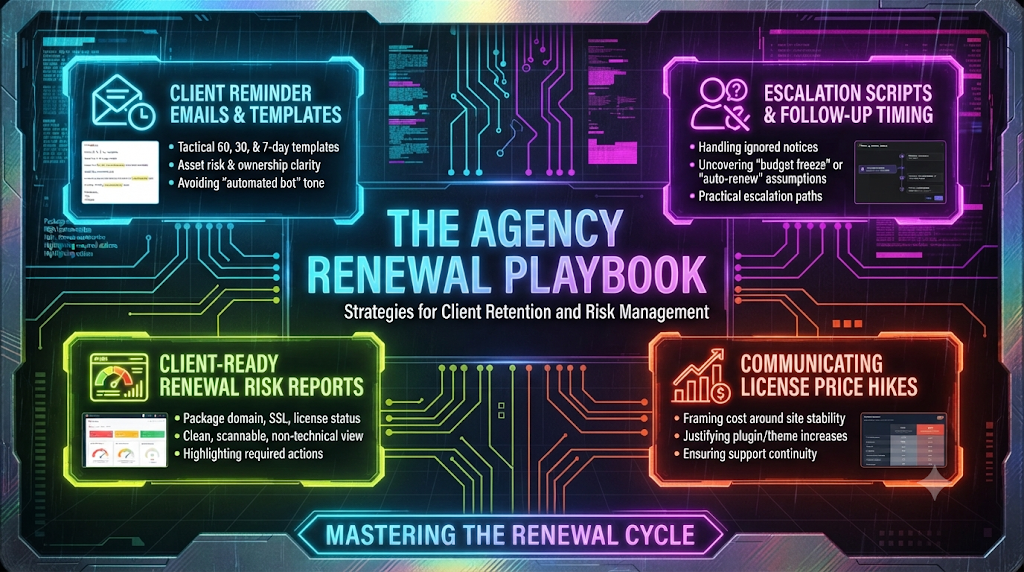
This guide provides an operational communication framework for managing client renewals: timed reminder sequences, escalation scripts for unresponsive stakeholders, scannable risk reporting, and value-anchored messaging for vendor price increases. Every template uses bracketed placeholders; the dollar amounts and dates in the examples are illustrative, so swap in your clients’ real invoices.
1. Why “Just Checking In” Renewal Emails Stall Client Approvals (And What to Write Instead)
The phrase “Just checking in on your upcoming renewal” signals low urgency and optional action. It forces the recipient to do cognitive work: figure out what the asset is, whether it is already on auto-pay, who holds the credit card on file, and what happens if they ignore the email until next week.
Effective renewal emails remove ambiguity by explicitly stating four variables in the first few lines:
- The exact asset (e.g., primary domain, WooCommerce Subscriptions license, SSL certificate).
- The financial mechanics (exact cost, who pays—agency pass-through vs. client direct—and current auto-renew status).
- The operational consequence of a missed deadline (be accurate here; see the box below).
- A single, low-friction approval action.
What Actually Happens When Each Asset Lapses
Overstating consequences erodes trust the first time a client checks. Use these verified behaviors when you fill in the “what happens if missed” line:
- Domains: Under ICANN’s Expired Registration Recovery Policy, registrars must notify the registrant at least twice before expiration. If a domain is not renewed or deleted, they must send another notice within five days after expiration. Registrars must also interrupt DNS resolution for up to eight days before deleting a domain. In the registry’s 30-day Redemption Grace Period after deletion, DNS stays disabled and the registrant can still restore the name. Exact behavior (grace periods, parking pages, redemption fees) varies by registrar and TLD, so describe the impact as “your website and email may stop working” rather than promising a precise timeline.
- Gravity Forms: Per Gravity Forms’ documentation, the plugin and its add-ons remain installed and continue to operate after expiry, but you can no longer download the plugin or add-ons or get support. Its renewal documentation also warns that an expired license cannot be renewed or upgraded; you must purchase a new one. That is a strong reason to renew before the expiration date, not after.
- WooCommerce.com extensions (including Subscriptions): Per WooCommerce’s documentation, when a subscription expires, updates stop (including security patches and compatibility updates) and support ends. The extension stays installed. WooCommerce also notes that if a long time has passed, the renewal price may reflect current pricing rather than what you originally paid.
- TLS/SSL certificates: An expired certificate triggers full-page browser security warnings for visitors.
The honest message is usually “you lose security updates and support, and eventually compatibility,” not “your checkout breaks tomorrow.” Clients forgive accurate urgency; they discount exaggerated urgency.
The 60-, 30-, and 7-Day Renewal Sequence
A structured cadence separates budget planning from urgent execution. The tone shifts from informational planning at 60 days to operational risk mitigation at 7 days, without sounding like an automated billing bot.
The 60-Day Window: Budget & Ownership Alignment
At 60 days out, the goal is not immediate payment; it is verifying who owns the billing method and putting the expense on the client’s radar before their accounting cycle closes.
Subject: Action needed by [Date]: [Client Domain] infrastructure renewals ([Month/Year])
Hi [First Name],
Ahead of next quarter, I’m flagging [Number] core website assets scheduled for renewal on [Exact Date]. No payment is due today, but we need to confirm billing ownership so there’s no interruption to [Website Name].
Assets & Billing Summary:
- Primary Domain ([domain.com]): $[Amount]/yr — Currently billed to: [Client Card ending in 1234 / Agency Pass-Through]
- Commercial Plugin Stack ([e.g., Gravity Forms + WP Rocket]): $[Amount]/yr — Currently billed to: [Agency Pass-Through]
What happens if missed: If the domain lapses, your website and company email (@[domain.com]) can stop working. If plugin licenses lapse, the plugins keep running, but you stop receiving vendor updates (including security fixes) and support.Next Step: Please reply “Approved” to confirm we should process the $[Total Amount] renewal on [Date], or let me know if your finance team needs an updated invoice or PO number first.
Best,
[Your Name]
The 30-Day Window: Frictionless Approval
At 30 days, the message shifts from planning to execution. Keep the email short enough to read and approve from a phone.
Subject: 30-day notice: Confirming [Website Name] renewal ($[Amount] due [Date])
Hi [First Name],
Following up on our earlier note—your [Asset Name] renews in 30 days on [Exact Date] for $[Amount].
- Payment Method: [We will charge the card on file / We will issue a standalone invoice upon your reply / Direct renewal via your registrar account].
- Risk if Unapproved: [Specific, accurate impact, e.g., “Your store will stop receiving updates and support for WooCommerce Subscriptions, including security and compatibility fixes.”]
Reply “Go ahead” and we’ll handle the renewal and send over your paid receipt for bookkeeping.
Best,
[Your Name]
The 7-Day Window: High-Clarity Risk & Escalation
At 7 days, politeness should never obscure urgency. Avoid passive language. State the exact date and time of expiration, the specific business impact, and what your agency will (or cannot) do without authorization.
Subject: URGENT (7 days left): [Asset Name] expires [Date] — Site outage risk
Hi [First Name],
Your [Asset Name] is 7 days away from expiration on [Exact Date]. Because we do not have authorization to bill $[Amount] without your sign-off, auto-renewal is currently OFF.
Impact if it lapses on [Date]:
- [Impact 1, e.g., Visitors will see a full-screen “Your connection is not private” browser warning.]
- [Impact 2, e.g., Visitors who arrive from paid ads are likely to leave immediately.]
How to resolve in 30 seconds:
Reply “Approve $[Amount]” to this email before [Day, Date at 3:00 PM TZ], and my team will execute the renewal immediately.
If I don’t hear back by [Day], I’ll give your office a quick call to make sure this doesn’t slip through the cracks.
Best,
[Your Name]
2. The “Silence After Send” Problem: How to Follow Up When a Client Ignores a Renewal Notice
Every agency has seen the “silent read”: your email tracking or CRM shows the client opened the renewal notice three times, yet days pass with no reply.
When a client goes silent after viewing a renewal email, a generic “Bumping this to the top of your inbox!” rarely helps. Silence often traces back to one of three friction points:
- The Auto-Renew Assumption: The client assumes the credit card on file with a registrar, host, or your agency will automatically cover it, making a reply feel redundant.
- Unclear Internal Ownership: The founder forwarded the email to a bookkeeper or operations manager, and each assumes the other replied.
- Silent Budget Hesitation: Cash flow is tight, or the client is questioning whether they still need the plugin or tier, and they are avoiding an awkward conversation.
Effective escalation scripts surface these hidden blockers directly by giving the client an easy “out” or a multiple-choice reply.
Timing Rules for Escalation
- Day 0: Initial 30-day or 14-day renewal notice sent.
- Day +4 (no reply): Multiple-choice diagnostic follow-up via email.
- Day +8 (no reply): Loop in a secondary stakeholder (finance/ops) and send a brief SMS or Slack ping.
- 72 hours before expiration: Phone call plus a final written outage-disclaimer email for liability protection.
Escalation Script 1: Surfacing the Hidden Blocker (Email)
Use this four to five days after an ignored notice. By offering numbered options, you eliminate the effort of composing a response.
Subject: Re: [Original Subject Line] — Quick question on ownership
Hi [First Name],
I know inboxes get buried, so I wanted to make this effortless. Since [Asset Name] expires on [Date], could you reply with 1, 2, or 3 so I know how to proceed?
1. “Approved” — Go ahead and renew for $[Amount] using our standard billing method.
2. “Someone else handles this” — Reply with your bookkeeper or ops lead’s email and I’ll coordinate directly with them.
3. “Hold / Let’s review” — You want to pause this tool or discuss alternatives before we spend $[Amount].
A single number is all I need to keep things moving on our end.
Best,
[Your Name]
Escalation Script 2: Addressing the “Auto-Renew Assumption”
When a client owns the registrar account or a SaaS subscription directly (at GoDaddy, Namecheap, Cloudflare, or a vendor like WooCommerce.com), they often ignore agency warnings because they believe auto-renew is active.
Auto-renew does fail. WooCommerce’s own documentation notes that when all payment retry attempts fail, the renewal order is marked failed and the subscription expires. Registrar and vendor notices also typically go to the billing or registrant contact on file, which may be a former employee’s inbox, not yours.
Subject: Double-checking auto-renew on [Domain/Tool] before [Date]
Hi [First Name],
Quick heads-up—many clients assume [Domain/Tool] is set to auto-renew, which is why I’m flagging this one more time.
Even when auto-renew is toggled on, renewals can fail because of expired cards or outdated billing contacts—and because the account is in your name, our agency usually isn’t alerted when a card declines.
Could you confirm someone on your team has checked the card and the notification email on file inside [Registrar/Vendor Name] ahead of [Date]? If you’d prefer we verify it with you on a quick screen share, just let me know.
Best,
[Your Name]
Escalation Script 3: The Liability & Outage Disclaimer (72 Hours Out)
If a client is still unresponsive 72 hours before a critical expiration, protect your agency from blame if the site breaks. Keep the tone calm, objective, and non-punitive.
Subject: Final notice before expiration: [Asset Name] on [Date]
Hi [First Name],
We haven’t received authorization to process the $[Amount] renewal for [Asset Name], which expires on [Exact Date and Time].
Per our agreement, we cannot charge your account or advance vendor fees without written approval. As a result, [Asset Name] will lapse on [Date], which may cause [specific consequence, e.g., website downtime / loss of security updates].
To prevent interruption: Reply “Approve” before [Time on Expiration Date].
If the asset lapses: Restoring a lapsed domain, or replacing a license that cannot be renewed after expiry, can involve vendor or registrar fees plus roughly [X hours] of emergency support billed at our standard rate ($[Rate]/hr).
Please let us know how you’d like to proceed.
Best,
[Your Name]
A caution on this one: the line “per our agreement” only protects you if your contract actually says it. Have your master services agreement state who authorizes and pays third-party renewals, and have a lawyer review any liability language before you rely on it.
3. Sending Client-Ready Renewal Risk Reports Without Turning Every Renewal Into a Support Call
One of the fastest ways to trigger an unnecessary 30-minute Zoom call is to send a client a raw spreadsheet exported from your management tools, filled with jargon like TXT records, PHP version end-of-life, TLS handshake, cron jobs, or multisite sub-licenses.
When non-technical executives see unfamiliar terminology next to dollar signs, they schedule a call to ask, “Do we actually need this, and is anything broken?”
To avoid those calls, package renewals into a Client-Ready Renewal Risk Report: a clean, one-page summary (delivered in an email body, a Notion page, or a branded PDF) organized by business risk rather than technical category.
The 4-Column Executive Risk Matrix
Every line item in a client-facing report should translate technical infrastructure into business outcomes using four standardized columns. The figures below are illustrative samples, not current vendor quotes.
| Asset & Plain-English Purpose | Renewal Date & Cost | Billing Owner & Status | Risk if Missed |
|---|---|---|---|
| Primary Domain (`brand.com`) — Your web address & company email routing | Dec 18, 2026 — $[Amount] / yr | Client Direct (GoDaddy) — ⚠️ Verify card & contact email | CRITICAL: Website and @brand.com email may stop working; recovery after deletion costs more and takes longer. |
| SSL Security Certificate — Encrypts visitor data & enables the HTTPS padlock | Dec 29, 2026 — $0.00 (Included) | Agency Managed — ✅ Auto-renew verified | HIGH: Browsers show full-page security warnings to visitors. |
| WooCommerce Subscriptions — Powers recurring customer billing on the store | Jan 10, 2027 — $[Amount] / yr | Agency Pass-Through — 🟡 Approval needed | MODERATE: Store keeps running, but updates (including security and compatibility fixes) and support stop. |
| Gravity Forms Pro — Handles website lead capture & CRM routing; covers up to 3 sites | Jan 22, 2027 — $[Amount] / yr | Agency Pass-Through — 🟡 Approval needed | MODERATE: Forms keep working, but updates and support stop, and an expired license cannot be renewed (a new one must be bought). |
Why the SSL row matters more every year: with maximum certificate lifetimes shrinking from 398 days to 200 days (2026), 100 days (2027), and 47 days (2029), more certificates will be renewed by automation, and more outages will come from automation that quietly failed. Don’t assume you’ll get a reminder from the certificate authority, either. Let’s Encrypt ended its expiration notification emails on June 4, 2025, so “auto-renewed and verified” should be a status you confirm, not one you assume.
Three Design Rules That Prevent Support Calls
- Use Traffic-Light Status Indicators: Non-technical stakeholders scan visually. Grouping items into Action Required (🟡), Verify Client Card (⚠️), and Handled Automatically (✅) immediately tells the client what needs their attention and reassures them that your agency is managing the rest.
- Translate Every Plugin Into a Business Function: Never write “WP Rocket — $59.” Write “WP Rocket (page-speed caching) — $59.” When a founder sees the business function next to the price, they rarely question the cost. (Check the current vendor price before quoting; WP Rocket’s single-site license has been listed at $59/year.)
- Separate “Zero-Action” Items From “Approval-Needed” Items: List already-covered items (such as managed SSL or included hosting backups) at the bottom of the report. Showing what is already handled builds trust and demonstrates proactive stewardship without asking for extra money.
Cover Note Template for Quarterly/Annual Risk Reports
Subject: [Client Name] Website Infrastructure & Renewal Roadmap ([Quarter/Year])
Hi [First Name],
Below is your upcoming 90-day website infrastructure and license roadmap. We’ve separated items that are already covered automatically from the [Number] items that need your quick sign-off or card verification.
[Insert 4-Column Risk Matrix]
Summary of Action Needed Today:
- Total Agency Pass-Through Approvals: $[Total Amount] (covers [Plugin A] and [Plugin B] for the next 12 months).
- Client-Direct Check: Please confirm the card and notification email on file in your [Registrar Name] account are current before [Date].
No need to hop on a call unless you have questions—just reply “Approved for $[Total Amount]” and we’ll take care of the rest.
Best,
[Your Name]
4. How to Explain a Plugin, Theme, or Domain Price Hike to a Cost-Sensitive Client
Price and packaging changes across the web stack are routine, and clients notice them on the invoice. Recent, verifiable examples:
- .com domains: Verisign’s wholesale price rose from $10.26 to $10.97 per year on November 1, 2026. The registry contract allows up to a 7% increase in each of the following three years as well. Registrars set their own retail margin, so what your client pays varies by registrar.
- .net domains: Verisign announced a 10% wholesale increase, from $10.91 to $12.00, effective March 1, 2027.
- WooCommerce Subscriptions: Many third-party guides still cite $239 per year, while WooCommerce’s own product page now lists a $279 annual option. Always quote from the vendor’s current page.
- Licensing restructures: Per the price-tracking site PriceTimeline, WP Rocket retired its unlimited “Infinite” license in favor of a “Multi” plan capped at 50 sites for the same $299 per year. A restructure like this can change what a tier covers even when the headline price doesn’t move.
When agencies pass such increases along, a common mistake is framing the email apologetically around vendor greed (“Unfortunately, Plugin X raised their prices again, so we have to charge you more”). Apologetic framing invites negotiation and makes the client question whether you are padding margins or choosing bad tools.
Instead, anchor the conversation around replacement cost, security continuity, and operational stability.
The 3-Part Value-Anchor Framework
- Objective Transparency (Separate Vendor Cost From Agency Labor): State plainly that the change comes from the vendor’s published pricing, not an agency markup. Only say this if it is true; if you add a handling fee, disclose it separately.
- The Cost-of-Replacement Math: Compare the annual increase to what a replacement would cost at your own rates. For example (hypothetical): if migrating off a plugin and re-testing the forms and workflows that depend on it would take 15 hours at $125/hour, that is $1,875 of labor against a license increase of a few dozen dollars. Use your real estimate, not a generic figure.
- Active Risk Mitigation: Explain what an active license buys: vendor updates (including security and compatibility fixes) and vendor support. Be precise: as shown in Section 1, most vendors let the plugin keep running after expiry, but you lose updates, and Gravity Forms in particular won’t let you renew an expired license.
Template 1: Passing Through a Commercial Plugin or Theme Price Increase
Subject: Upcoming renewal notice: [Plugin/Theme Name] annual license adjustment
Hi [First Name],
Ahead of your [Asset Name] renewal on [Date], I’m writing to flag an annual licensing price update from [Vendor Name].
Effective this renewal cycle, [Vendor Name] has updated its pricing for your license tier from $[Old Price]/yr to $[New Price]/yr (an increase of $[Difference]/yr, or roughly $[Monthly Equivalent]/month). This is a direct pass-through of the vendor’s published rate; [our agency isn’t adding any markup to the license fee / our handling fee is unchanged].
Why we recommend keeping this license active:
- Security & Compatibility: [Plugin Name] handles critical [checkout / form / layout] functionality. An active license keeps vendor updates and support available as WordPress and related tools change.
- Avoiding Rebuild Costs: Alternatives exist, but migrating off [Plugin Name] and re-testing your existing [forms / templates / workflows] would take roughly [X–Y] hours of development time (about $[Estimated Rebuild Cost]), which far exceeds the $[Difference]/yr increase.
Unless you’d like to explore replacing this tool, we’ll process the renewal at the updated $[New Price] rate on [Date] so your site continues to receive vendor updates without interruption. Just reply “Sounds good” to confirm.
Best,
[Your Name]
Template 2: Raising Agency Maintenance / Retainer Tiers (Due to Upstream Infrastructure Costs)
When your agency absorbs multiple software licenses inside a bundled care plan and needs to raise your monthly or annual retainer rate, frame the adjustment around what the plan covers and the complexity you absorb rather than inflation alone. Check your contract for required notice periods, and give clients [30–60 days] or whatever your agreement requires.
Subject: Important update to your [Agency Name] Website Care Plan (Effective [Date])
Hi [First Name],
Thank you for trusting us with [Website Name] over the past [Year/Period]. Over the last 12 months, our team has handled [Number] plugin updates and [Number] backups, and provided [uptime monitoring, if you offer it] to keep your site fast and secure.
Because of increases in the licensing and infrastructure costs behind our care plans (including [specific example, e.g., domain registry fees and commercial plugin renewals]), we are updating our [Plan Name] rate from $[Old Rate]/mo to $[New Rate]/mo, effective [Date].
What stays covered under your plan:
- Commercial Plugin Licenses ($[Total Retail Value]/yr value): You continue to receive licensing for [Key Tools] without separate vendor bills.
- Update & Patch Management: [Your patching commitment, e.g., critical security updates applied within one business day of release].
- Staging Tests: [If true:] Every update is tested in a staging environment before it touches your live site.
There is nothing you need to do today; your existing billing schedule will reflect the updated rate starting [Date]. If you’d like to review annual billing options (which lock in a [X]% discount), let me know and I’d be happy to send the details.
Best,
[Your Name]
Summary Checklist: Auditing Your Agency’s Renewal Workflow
Before sending your next batch of renewal notices, run your templates through this five-point check:
- No “Just Checking In” Openers: Does the first sentence name the exact asset, expiration date, and dollar amount?
- Clear Billing Attribution: Does the client immediately see whether they need to pay an invoice, your agency will charge a card on file, or they need to check a card inside a third-party registrar?
- Accurate Business Consequence: Have you translated the technical expiration into plain-English impact that is actually true for that asset (e.g., “company email may stop working” rather than “MX records fail to resolve”, or “security updates stop” rather than “the plugin breaks”)?
- Low-Friction Reply Mechanism: Can the client approve the renewal from a phone with a one- or two-word reply?
- Documented Escalation Path: Do you have a fixed 72-hour pre-expiration notice template, backed by a contract clause on third-party renewals, so unapproved expirations don’t become your agency’s financial or reputational liability?