
Most agencies, web development firms, and managed service providers (MSPs) that look after client infrastructure eventually face a version of this emergency.
It is 8:30 AM on a Tuesday. A high-value client’s e-commerce site is unreachable. Checkout fails, support lines light up, and the client’s CMO calls your Account Director. After a frantic investigation, your team finds the root cause: the primary domain or hosting plan lapsed because the renewal payment never went through.
The card on file in your agency portal was declined after the bank reissued it. Or a Purchase Order (PO) hit its spending cap, and the client’s Procurement team had not approved a new one.
As agencies scale, the technical estate (domains, DNS, hosting, SSL/TLS certificates, third-party API keys, SaaS subscriptions, and plugin licenses) outgrows the administrative systems that pay for it. What is a minor annoyance in a boutique studio becomes a serious point of failure at 50 or 100 client accounts.
This guide covers why the “Who Pays?” bottleneck happens, how to audit your renewal exposure, and how to build a payment approval workflow that protects your clients’ uptime and your cash flow.
---
First, Know What Actually Breaks When a Renewal Lapses
Not every lapsed renewal has the same blast radius, and your escalation rules should reflect that.
- Domain names: ICANN’s Expired Registration Recovery Policy (ERRP) requires registrars to send two reminders before expiry, one roughly a month out and one roughly a week out. Registrars must also send a notice after expiry. After deletion, gTLD registrations get a 30-day Redemption Grace Period, during which DNS resolution is disabled. Those reminders go to the registrant contact on file, which is often not the person who controls the budget. Many agencies only learn a domain lapsed when the site goes dark. (Policy details: ICANN ERRP.)
- Hosting and cloud accounts: Behavior varies by provider, but non-payment can lead to suspension. Read each vendor’s terms and grace periods in advance, and do not assume a lapse is recoverable.
- Premium plugin licenses: These usually degrade more gently. Gravity Forms, for example, states that after a license expires the plugin stays installed and keeps operating, but you lose updates (including security fixes), support, and access to downloads. The vendor also warns that an outdated install may eventually break as WordPress and integrations change. (Gravity Forms documentation.) Other vendors differ, so check each one.
- SSL/TLS certificates: Expiry causes browser warnings and can block traffic. Validity periods are also shrinking. Under CA/Browser Forum Ballot SC-081v3, the maximum lifetime of publicly trusted certificates dropped to 200 days on March 15, 2026. It falls to 100 days on March 15, 2027, and 47 days on March 15, 2029. Paid certificates will therefore generate more renewal events each year, so automated issuance and renewal (for example ACME) matters more.
---
The Root Causes of the “Who Pays?” Bottleneck
Renewal breakdowns rarely stem from a client refusing to pay. They usually come from operational friction, ambiguous roles, and mismatched billing models.
       ┌────────────────────────────────────────────────────────┐
       │               RENEWAL APPROVAL BOTTLENECK              │
       └───────────────────────────┬────────────────────────────┘
                                   │
         ┌─────────────────────────┼─────────────────────────┐
         ▼                         ▼                         ▼
┌─────────────────┐       ┌─────────────────┐       ┌─────────────────┐
│ Administrative  │       │ Financial &     │       │ Technical &     │
│ Friction        │       │ Contractual     │       │ Structural      │
└────────┬────────┘       └────────┬────────┘       └────────┬────────┘
         │                         │                         │
 ├─ Wrong stakeholder       ├─ Card failures          ├─ Shared agency cards
 ├─ "Silent approvers"      ├─ PO cap exceeded        ├─ Rogue direct billing
 └─ Unread reminders        └─ Unclear SOW markup     └─ Fragmented vendors
1. Administrative and Stakeholder Ambiguity
- The single point of contact (SPOC) trap: Agencies default to their day-to-day contact, often a Marketing Manager, Product Owner, or Creative Director. That person usually lacks purchasing authority for infrastructure overhead. A renewal notice lands in their inbox and gets buried under project deliverables.
- The “silent approver” problem: In mid-market and enterprise accounts, payments typically route through Accounts Payable (AP), Procurement, or a CFO. Without a defined payment pathway, invoices sit in limbo while project managers assume no news is good news.
- Slow payment is the norm, not the exception: Atradius’s 2025 survey of US companies reported average B2B payment terms of 45 days, with 43% of invoice value overdue. (summary of the Atradius data.) Intrum’s 2026 European Payment Report found B2B suppliers typically grant 43 days to pay but wait about 63 days, a 20-day gap. (coverage of the Intrum report.) If your renewal request goes out 30 days before expiry, you are planning to fail.
2. Financial and Contractual Friction
- Card expirations and silent failures: Cards expire, hit limits, or get reissued after fraud blocks. Stripe cites a 2023 study attributing about half of subscriber churn to failed payments, with expired cards a contributing cause. Card-network updater services (Visa Account Updater and Mastercard Automatic Billing Updater) can refresh stored card details automatically. They are available through processors such as Stripe, but they don’t cover every card. Prepaid cards, for example, are excluded. (Stripe on expired cards.)
- PO caps and fiscal-year mismatches: Enterprise clients often require POs. If an annual fee rises, or consumption-based cloud usage (AWS, GCP, Vercel) overshoots the budget, the invoice may be rejected or held until a new or amended PO is issued.
3. Technical and Structural Misalignment
- The agency credit card proxy risk: Many agencies float third-party costs on their own corporate cards and rebill the client later. If the client disputes a charge or pays late, the agency either absorbs the cost or risks cutting off a live environment.
- Disjointed multi-vendor assets: A modern site depends on many separate renewals: domains, DNS, certificates, managed hosting, headless CMS plans, web application firewalls (WAF), and premium plugins. Each has its own billing owner, notice email, and grace behavior. A lapse in one, especially a domain or hosting plan, can take a site or email offline.
---
Auditing Your Agency’s Renewal Exposure
Before building a workflow, map your current exposure. For every client asset, record who uses it, who approves its spend, and how it is paid. The table below is an illustrative example. The lead times are suggested internal targets, not vendor requirements.
| Asset Category | Example Vendors | Day-to-Day Contact | Financial Approver | Payment Method | Suggested Internal Lead Time | Failure Impact |
|---|---|---|---|---|---|---|
| Domain name | Namecheap / Route 53 | Brand Manager | Procurement Lead | Client credit card | 60 days | Critical (site and email down) |
| Hosting / cloud | WP Engine / AWS | Dev Lead | Accounts Payable | Agency direct bill | 45 days | Critical (site down; suspension risk) |
| Premium plugins | Gravity Forms and similar | Tech Director | Marketing Director | Agency card (rebilled) | 30 days | Moderate (updates and support lost; security patch exposure) |
| Security / WAF | Cloudflare Enterprise | IT Director | VP of Finance | Annual PO | 90 days | High (protection lapses; contract-dependent) |
Key Questions for Your Operational Audit
- Financial ownership: Does your agency own the infrastructure account and rebill the client, or does the client own it with your team holding admin access?
- Notice routing: Whose email address receives the vendor’s expiry and failed-payment notices? Is it a monitored shared mailbox or a former employee’s inbox?
- Approval triggers: At what dollar amount does a renewal require formal client authorization instead of auto-approval?
- Escalation windows: How many days before expiry does your team escalate unapproved renewals to executive leadership?
- Grace behavior: For each vendor, what happens on day 1, day 7, and day 30 after a missed payment?
---
The 4-Stage Client Payment Approval Workflow
To prevent interruptions, replace informal email threads with a standardized, rule-based pipeline. The timings below are a recommended framework. Adjust them to your clients’ payment terms and each vendor’s rules.
 T-90            T-60              T-30              T-7             T-0
  │               │                 │                 │               │
  ▼               ▼                 ▼                 ▼               ▼
Stage 1        Stage 2           Stage 3           Stage 4         Renewal
Discovery  ──> Routing &     ──> Settlement &  ──>  Vendor pay,  ──> date
& review       approval          escalation         verify, log
               (approve by       (payment due
                T-45)             T-30)
Stage 1: Discovery and Review (T-90 to T-60)
Never launch a renewal request in the month it is due. Typical B2B terms run 30 to 60 days, and invoices are frequently paid later than their terms.
- Maintain a central asset inventory. Use a spreadsheet, a professional services automation (PSA) or project tool, a CRM, or a dedicated renewal tracker. It should list every domain, host, certificate, plugin, and license tied to each client, with the renewal date, the cost, who pays, and where vendor notices go.
- Run a pre-renewal margin check. Compare vendor price changes against what you charge. If a vendor raised prices, update your markup or retainer terms before the client sees the invoice.
- Set an early-warning alert at T-90. Account Managers should review upcoming renewals before any client communication goes out.
Stage 2: Dual-Stakeholder Routing and Authorization (T-60 to T-30)
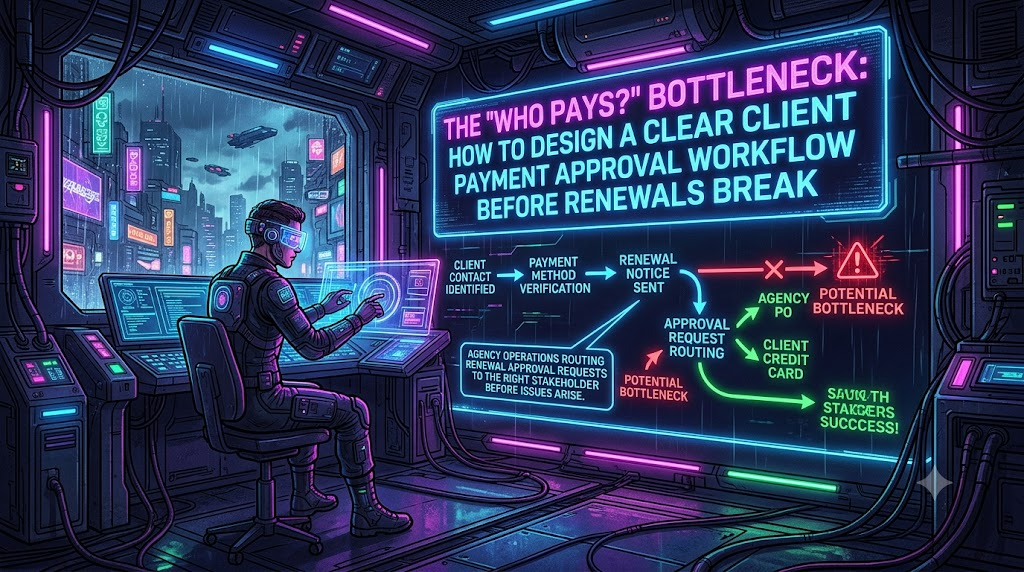
Renewals most often stall because the billing request reaches the wrong person. A dual-stakeholder model sends two different messages to two different people at the same time.
                  ┌───────────────────────────────┐
                  │     STAGE 1: REVIEW COMPLETE  │
                  └───────────────┬───────────────┘
                                  │
                                  ▼
                  ┌───────────────────────────────┐
                  │  RENEWAL REQUEST (at T-60)    │
                  └───────────────┬───────────────┘
                                  │
             ┌────────────────────┴────────────────────┐
             ▼                                         ▼
┌─────────────────────────┐               ┌─────────────────────────┐
│  Day-to-Day Contact     │               │  Financial Approver     │
│  (Marketing / Product)  │               │  (AP / Procurement /CFO)│
├─────────────────────────┤               ├─────────────────────────┤
│ • Scope and necessity   │               │ • Invoice and/or PO     │
│ • Usage review          │               │ • Payment link / method │
│ • Plan / upgrade check  │               │ • Terms and due date    │
└────────────┬────────────┘               └────────────┬────────────┘
             │                                         │
             └────────────────────┬────────────────────┘
                                  ▼
                  ┌───────────────────────────────┐
                  │   CLIENT APPROVAL GRANTED     │
                  └───────────────────────────────┘
Communication protocols
- To the day-to-day contact: Send a scope summary. For example: “We are renewing your hosting and security services for the upcoming term. Below is the confirmation of what is included, current plan usage, and any recommended changes.”
- To the financial approver: Send an actionable billing request with the invoice number, amount, due date, PO reference if applicable, and secure payment options.
Key rules for this stage
- Require dual sign-off. The day-to-day contact approves scope and necessity. The financial approver approves budget and payment.
- State deadlines and consequences. For example: “To guarantee uninterrupted availability, authorization must be received by [T-45 date] and payment must be received by [T-30 date].”
Stage 3: Pre-Pay Settlement and Escalation (T-30 to T-7)
To protect cash flow, follow a pre-pay principle: do not pay a third-party vendor on a client’s behalf until the client’s payment has settled.
- Encourage a reliable payment method on file. Options include ACH debit, a card via Stripe or another processor, or a pre-approved recurring PO.
- Know the payment-method timing. Stripe says ACH Direct Debit can take up to four business days to confirm success or failure. Under Stripe’s ACH terms, unauthorized-debit returns can be requested within 60 days on consumer accounts and 2 days on business accounts. (Stripe ACH docs, Stripe ACH terms.) Define “settled” in your policy and build that buffer into your deadlines.
- Handle PO requirements explicitly. If a client pays by PO, pay the vendor only after AP issues a confirmed, funded PO.
- Retry failures on a schedule that fits your calendar. Stripe’s recommended Smart Retries default is up to 8 attempts within 2 weeks, configurable from one week to two months. (Stripe docs.) A two-week retry cycle can consume most of a short buffer, so start billing at T-30, not T-7.
- Escalate on a fixed ladder when payment has not arrived:
- T-21: Send a reminder to both the day-to-day contact and the financial approver.
- T-14: Send an urgent notice to both, copying the client sponsor.
- T-7: The Account Director phones the client sponsor. The technical team prepares contingency steps based on each vendor’s grace and reinstatement rules.
- T-3: Send a formal notice of service-suspension risk to client executive leadership.
Consider a break-glass rule for critical assets. Pre-pay discipline can collide with a hard expiry date. Decide in advance, in writing and in your contract, whether the agency may front the cost of a critical renewal (such as a domain or primary hosting plan) up to a set dollar cap and rebill it. The decision then happens in your contract instead of at 11 PM the night before expiry.
Stage 4: Vendor Execution, Verification, and Archival (T-7 to T-0)
Once funds clear and authorization is complete, execute the renewal with the vendor.
- Execute the vendor payment in the vendor’s admin dashboard, or confirm the auto-renewal charge succeeded.
- Verify the result. Check the domain expiry date, certificate validity, and hosting plan status to confirm the renewal registered.
- Update your records. Log the transaction, attach the vendor receipt to the client’s billing history, and reset the renewal reminder for the next cycle.
---
Technical Architecture for Automation
Connect your asset tracker, billing system, and payment processor so renewals trigger the workflow automatically.
[ Asset tracker / CRM ] ──(trigger at T-60)──> [ Invoice / automation engine ]
                                                        │
                                   ┌────────────────────┴────────────────────┐
                                   ▼                                         ▼
                       [ Send scope summary ]                    [ Send payment request ]
                       To: day-to-day contact                    To: financial approver
                                   │                                         │
                                   └────────────────────┬────────────────────┘
                                                        ▼
                                            [ Payment gateway / portal ]
                                                        │
                                       ┌────────────────┴────────────────┐
                                       ▼                                 ▼
                                [ Payment success ]              [ Payment failure ]
                                       │                                 │
                                       ▼                                 ▼
                             • Pay vendor                       • Alert Account Manager
                             • Sync accounting                  • Retry and re-notify
                             • Log audit trail                  • Start escalation ladder
Automation best practices
- Use triggers and webhooks. Tools such as Zapier, Make, or custom API endpoints can watch renewal dates in your tracker and draft invoices in QuickBooks, Xero, or Stripe Billing. Stripe also emits an
invoice.payment_failedevent you can use to start escalation automatically. - Offer a client billing portal. Let clients update payment methods, view upcoming charges, and download invoices without emailing your finance team.
- Turn on card updater and retries. Enable your processor’s card account updater where available. Align retry windows with your timeline instead of using defaults blindly.
- Keep notice routing under your control. Where a vendor account is agency-managed, send expiry and failed-payment emails to a monitored shared mailbox, not an individual’s inbox.
---
Contractual Frameworks to Protect Your Agency
A workflow is only as strong as the contracts behind it. Update your Master Services Agreement (MSA) and Statements of Work (SOW) with explicit language on third-party renewals and financial responsibility.
The sample language below is a starting point, not legal advice. Enforceability of liability limits, late fees, and reinstatement charges varies by jurisdiction. Have a qualified attorney review any clause before use.
Essential MSA Clauses
1. Third-Party Infrastructure Liability
“Agency acts as an administrative facilitator for third-party hosting, software licenses, domains, and security services. To the maximum extent permitted by law, Agency shall not be liable for website downtime, loss of revenue, or service disruptions resulting from delayed Client payment approvals, failed payment methods, or unpaid vendor renewal invoices.”
2. Advance Funding and Pre-Payment
“All third-party infrastructure fees, including annual hosting, software subscriptions, and domain renewals, must be paid in full by Client at least thirty (30) days before the vendor renewal date. Agency may withhold vendor payment until funds have cleared Client’s account, except as provided in the Critical Asset Bridge Payment clause.”
3. Critical Asset Bridge Payment (Optional)
“For assets designated Critical in the applicable SOW, Agency may, at its discretion, advance payment up to $[cap] per renewal to prevent service interruption. Client shall reimburse Agency within [X] days of invoice.”
4. Billing and Notice Contacts
“Client shall maintain current billing and notice contacts, including a designated financial approver, and shall notify Agency of changes within [X] business days.”
5. Late Fees and Reinstatement Charges
“Invoices overdue by more than fifteen (15) calendar days shall accrue a late fee of 1.5% per month, or the maximum rate permitted by applicable law, whichever is less. If a service is suspended for non-payment, Client shall pay a reinstatement fee of $[amount] before reactivation.”
Two notes on this clause. First, no federal cap applies to late fees on ordinary business invoices. Limits come from state usury and contract law and vary widely, which is why the “whichever is less” wording matters. Second, a rate of 1.5% per month (about 18% a year) is a common market rate, but confirm it against your state’s rules. Set any flat reinstatement fee to reflect your real administrative cost rather than an arbitrary figure.
---
Strategic Alternatives: Direct Billing vs. Agency Reselling
Choose the financial model that fits your operational capacity and risk tolerance.
┌──────────────────────────────────────────────────────────────────────────────────┐
│                          DIRECT BILLING vs. RESELLING                            │
└──────────────────────────────────────────────────────────────────────────────────┘

        DIRECT CLIENT BILLING                      AGENCY RESELLING / REBILLING
┌──────────────────────────────────────┐        ┌──────────────────────────────────────┐
│ • Client owns the vendor account     │        │ • Agency pays vendor, rebills client │
│ • Little agency credit risk          │        │ • Can add recurring margin / MRR     │
│ • Client handles invoice approval    │        │ • Needs strict pre-payment rules     │
│ • Agency manages as admin only       │        │ • Exposed if payment fails or is     │
│                                      │        │   disputed                           │
└──────────────────────────────────────┘        └──────────────────────────────────────┘
Option A: The Direct-Billing Model (Lowest Risk)
- How it works: The client creates the account (or owns the existing one) and enters their own payment method. Your agency keeps admin or developer access.
- Pros: Minimal financial exposure for the agency. Card and PO problems sit with the client’s own teams. Ownership of the asset is also clear.
- Cons: You give up markup on pass-through costs. You also still depend on the client to act, so downtime remains a risk to the relationship even if it is not your financial liability.
Option B: The Managed Reseller Model (Higher Margin)
- How it works: The agency holds the vendor accounts (sometimes at partner or reseller pricing where the vendor offers it), bundles infrastructure with management services, and bills the client monthly or annually.
- Pros: Predictable recurring revenue, one invoice for the client, and tighter control over renewal timing.
- Cons: The agency carries the credit risk if the client pays late or disputes a charge. Ownership and transfer terms also need to be spelled out in the contract so the client’s assets are not held hostage in a dispute.
---
Operational Action Plan: Next Steps for Your Agency
Follow this rollout to eliminate the “Who Pays?” bottleneck.
- Run an asset audit (Week 1). Map every domain, host, certificate, plugin, and license across active clients. Record expiration dates, costs, who pays, and where vendor notices go.
- Identify approvers and payment methods (Week 2). Store two contacts per account, the day-to-day contact and the financial approver. Confirm the payment method on file and its expiry date.
- Automate alert sequences (Week 3). Set reminders at T-90, T-60, and T-30 in your billing or workflow tool. Turn on card account updater and failed-payment webhooks where your processor offers them.
- Update contracts (Week 4). Revise your MSA and SOW to cover pre-payment, bridge-payment rules for critical assets, notice contacts, late fees, and reinstatement charges. Have counsel review them.
- Train account managers (Week 5). Make sure the team knows the escalation ladder, how to handle card declines and PO delays, and when the break-glass rule applies.
By defining roles, routing approvals to the right people early, and backing the process with clear contracts, you turn renewals from a recurring fire drill into a predictable part of your operations.
---
Sources and Further Reading
- ICANN, Expired Registration Recovery Policy
- Gravity Forms, License Expiry documentation
- Stripe, Automate payment retries (Smart Retries)
- Stripe, ACH Direct Debit payments and ACH Payment Terms
- Stripe, Expired cards for recurring payments
- CA/Browser Forum Ballot SC-081v3 timeline, as summarized by SSL Insights
- Intrum 2026 European Payment Report, as covered by trans.info
- Atradius US payment practices data, as summarized by Lonely Entrepreneur