
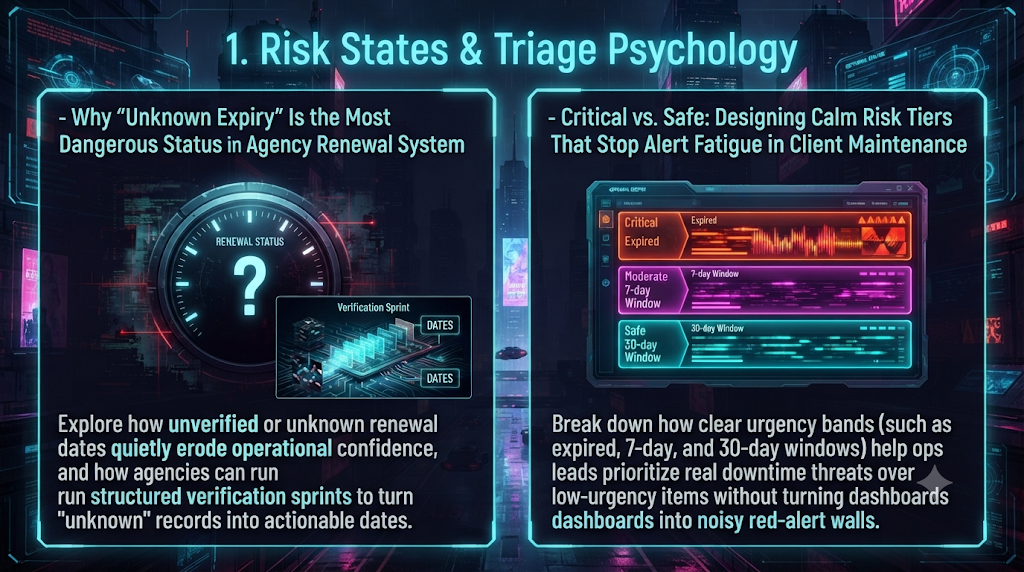
Introduction: The Silent Erosion of Agency Operational Confidence
Client maintenance rarely fails because a team lacks technical skill. It fails because of visibility gaps and the way people respond to alerts.
Every digital agency, managed service provider (MSP) and web maintenance team manages a sprawling web of client dependencies: domain registrations, TLS/SSL certificates, third-party API keys, hosting plans, SaaS licenses and webhook secrets. When one of these lapses unexpectedly, the fallout is fast. Splunk and Oxford Economics’ 2026 Hidden Costs of Downtime research surveyed 2,000 executives at Global 2000 companies. It put average downtime costs at about $15,000 per minute and the aggregate cost to those companies at roughly $600 billion a year. Those are large-enterprise figures, and the study doesn’t give a comparable number for small agency clients. Even so, the direction is clear: outages are expensive, and the expensive ones are usually the preventable ones.
Preventable outages are common. In DigiCert’s September 2026 survey of 1,001 IT and security decision makers, more than one-third had suffered a service outage caused by an expired certificate in the past year. Nearly one in four said their most significant certificate incident cost more than $250,000. This is a vendor-commissioned survey, so treat the exact figures as indicative.
Agencies that try to fix this with a renewal tracker tend to fall into two opposing traps:
- The Blind Spot Trap: Letting unverified, legacy or client-owned assets sit in a database marked “Unknown Expiry” or “Pending Verification.”
- The Red-Alert Trap: Over-engineering notifications until the dashboard is a wall of warnings, which produces alert fatigue.
Both come from the same place: ignoring triage psychology, meaning how people notice, rank and act on signals of urgency. This guide covers two things. First, why an “Unknown Expiry” status is more dangerous than a known deadline, and how a structured verification sprint removes it. Second, how to design calm, deterministic risk tiers (Expired, 7-Day, 30-Day and so on) that protect uptime without burning out the people watching the dashboard.
---
Part 1: Why “Unknown Expiry” Is One of the Most Dangerous Statuses in a Renewal System
Audit the renewal tracker of a digital agency that manages dozens of client sites and you will almost always find a placeholder somewhere: TBD, N/A, Client Managed or Unknown.
On the surface, Unknown looks harmless. Unlike a red EXPIRED badge, it doesn’t page anyone or prompt an angry message from an account manager. It sits there in neutral gray. But an unverified renewal date is unquantified operational debt: a deadline with no visible countdown.
1. Why “Unknown” Records Persist: The Ostrich Effect
The Ostrich Effect was named by finance researchers Dan Galai and Orly Sade in a 2006 paper on investors’ tendency to avoid information that might be unwelcome. Later behavioral research by Karlsson, Loewenstein and Seppi generalized it: people look away from information that might be bad news. Maintenance teams do the same thing with ambiguous records.
Resolving an Unknown record takes real effort. Someone has to hunt for registrar credentials, email a busy client or dig through DNS. A known deadline comes with a visible task, so teams default to the visible work and leave the investigation for later. There is also a related trap that doesn’t need a formal name: seeing a domain on the asset sheet feels like having it under management. A record with no verified expiration date is catalogued, not managed.
2. Why 2026 Infrastructure Changes Make “Unknown” Less Forgivable
Public TLS certificates now expire faster than most agency renewal habits were built for. Under CA/Browser Forum Ballot SC-081v3, the maximum validity of publicly trusted TLS certificates fell from 398 days to 200 days on March 15, 2026. The schedule continues like this:
| Effective date | Max certificate validity | Domain validation (DCV) reuse |
|---|---|---|
| Before March 15, 2026 | 398 days | 398 days |
| March 15, 2026 | 200 days | 200 days |
| March 15, 2027 | 100 days | 100 days |
| March 15, 2029 | 47 days | 10 days |
The next step down is less than four months away. Two details matter for tracking:
- Validation is a second clock. Certificates can’t be issued on stale domain validation, so a renewal can fail for reasons that have nothing to do with the certificate’s own expiry date.
- The rule applies to publicly trusted certificates. Private PKI and internal certificates follow their owners’ own policies.
Meanwhile, what causes outages hasn’t changed much. Uptime Institute’s 2025 outage analysis found that nearly 40% of organizations had suffered a major human-error outage over three years, and 85% of those involved staff not following procedures or flawed procedures. Its 2026 report says failure to follow established procedures remains the leading driver of human-error outages. A separate Uptime resiliency survey, reported by Network World, found 92% of operators said human error contributed at least slightly to significant outages. This research covers data center and IT operations, not agencies specifically. Still, an unowned Unknown record is exactly the kind of process gap it describes.
When an asset sits in an Unknown state, three things can go wrong:
- Auto-renewal can’t be assumed to work. It can fail when a client’s card expires or a registrar warning goes to a former vendor’s inbox.
- One expiry can cascade. After a domain lapses, many registrars repoint it to a parking page. Once it is deleted, the registry stops DNS resolution during the redemption period. Websites,
api.andapp.subdomains, email (MX records) and webhooks can all stop working at once. - Recovery gets slower and costlier. Under ICANN’s Expired Registration Recovery Policy, many gTLD registrars offer an optional auto-renew grace period of up to 45 days. After deletion, registries must offer a 30-day Redemption Grace Period, and restoring a domain then usually carries an extra fee. A five-day pending-delete phase follows, after which the name is released. ccTLDs have their own rules.
Real-world incidents show how this plays out in practice:
- In July 2026, Lucidworks’ status page reported that an expired certificate took its SaaS platform UI offline and interrupted signal ingestion. It acknowledged that advance warning of the expiry had existed but wasn’t acted on.
- In a mid-2026 incident report to Mozilla, the certificate authority Certainly disclosed that certificates on its own test websites had expired. External monitoring existed, but an “ignore SSL errors” setting on the monitors suppressed the alert.
The second case is the “Unknown” problem in miniature: a system that appeared to be watching, but could not see the failure.
3. How “Unknown” Erodes Operational Confidence
Unknown records also carry a cultural cost. If an operations lead knows part of the portfolio has unverified dates, the dashboard can never be fully trusted. Every Monday starts with the same doubt: “Is everything really green, or are we just blind to a domain expiring on Thursday?” That doubt pushes senior engineers into reactive firefighting and makes client status calls more tentative.
---
4. The Cure: Running Structured Verification Sprints
You won’t clear an Unknown backlog by asking people to update records when they have spare time, because agencies rarely have any. Treat unverified renewal data as a bug and fix it in a Structured Verification Sprint: a time-boxed push (this guide suggests 5 to 10 business days) that turns every Unknown or Unverified asset into a verified, date-stamped record or a formally documented client exclusion.
Step 1: Isolate and Quarantine the Unknown Backlog
Export every client asset across the portfolio: domains, SSL certificates, hosting accounts, CDN accounts, payment gateway tokens and critical SaaS plugins. Pull out everything that lacks:
- A verified expiration date.
- A confirmed owner (agency vs. client).
- A confirmed auto-renewal payment method status.
Call this your Verification Backlog and keep it separate from daily maintenance tickets.
Step 2: Automated Discovery Before Human Outreach
Don’t ask a client for information your team can retrieve programmatically. Before sending a single email:
- RDAP lookups: Since January 28, 2025, RDAP has been the definitive source for gTLD registration data, and the contractual WHOIS requirement for gTLDs has ended. RDAP responses can include the registry expiration date and the domain’s status codes. ccTLD coverage is patchier: APNIC estimated in early 2026 that roughly 60% of ccTLDs had deployed RDAP, so expect some manual lookups, and note that some registries don’t publish expiry dates at all.
- TLS handshake inspection: Scan every client hostname (
www,app,api,mail,staging) and record the certificate’snotAftertimestamp. Certificate Transparency logs can help you find hostnames you didn’t know had certificates. - DNS record audits: Inspect
TXT,CNAMEandMXrecords for hidden third-party dependencies (email platforms, CRMs, CDNs, cloud providers) whose licenses or tokens may expire independently.
Step 3: Categorize Ownership and Run the “48-Hour Client Nudge”
After technical discovery, the remaining gaps are usually opaque assets: items behind client-owned billing portals, private dashboards or legacy vendor accounts. Assign these to account managers, not engineers, with a short, low-friction template:
“Hi [Client Name], as part of our Q4 Infrastructure Resilience Audit, we are verifying renewal dates for your critical digital assets to prevent unexpected downtime. We have verified your primary domain and SSL, but we need your confirmation on the renewal date and billing owner for [Asset Name, e.g., Google Maps API / Shopify Plus Billing]. Could you reply with a screenshot or date by Thursday?”
Step 4: Enforce the “Explicit Exclusion” Rule
If a client refuses to share access or doesn’t respond after three structured attempts, never leave the record as `Unknown`.
Reclassify the asset as `Client-Owned / Unmonitored (Explicitly Excluded)` and log the date of the client’s non-response alongside your SLA or contract documentation. This turns an ambiguous liability into a clear boundary: your team isn’t carrying quiet responsibility for something it can’t control, and the client has been told, in writing, that it’s their responsibility. Have your contract reviewed so the exclusion language actually matches your agreement.
---
Part 2: Critical vs. Safe — Designing Calm Risk Tiers That Stop Alert Fatigue
Once Unknown records are gone and you have full date visibility, the next problem is information overload.
When hundreds of expiration dates land in one dashboard, the instinct is to turn on aggressive notifications: alerts at 90, 60, 45, 30, 14 and 7 days, then daily, with everything under 60 days colored yellow or red. A typical result is that people mute the channel, route the emails to a folder they never open, and eventually miss a real expiry.
1. What the Research Says About Alert Fatigue
Alert fatigue isn’t a character flaw. It’s a documented human response to constant, mostly meaningless signals, and it was studied long before IT operations:
- Hospitals found it first. The Joint Commission’s 2013 Sentinel Event Alert on medical device alarm safety estimated that 85 to 99 percent of alarm signals don’t require clinical intervention. It linked desensitization to patient deaths, and alarm management became a National Patient Safety Goal in 2014.
- Security operations show the same pattern. An Omdia study commissioned by Microsoft, published February 2026, found an estimated 46% of alerts were false positives and 42% went uninvestigated. Prophet Security’s August 2026 survey of 250 practitioners found the average organization left about 28% of alerts uninvestigated (median 22%), and 60% said an ignored alert had later proved material. Both are vendor-linked, self-reported surveys of security teams, so use them as directional evidence rather than benchmarks for agency renewals.
The pattern is habituation, sometimes called the “cry wolf” effect. If a dashboard gives a domain expiring in 45 days the same visual weight as a certificate expiring in four hours, people lose the ability to tell awareness from emergency. When everything looks critical, nothing feels critical. The Lucidworks incident above is the extreme case: the warning was delivered and still didn’t prompt action.
2. Applying “Calm Technology” Principles to Renewal Dashboards
Mark Weiser and John Seely Brown at Xerox PARC introduced calm technology in the mid-1990s. The idea is that systems should inform without demanding attention, shifting between the periphery and the center of awareness only when needed.
For a renewal system, that means urgency should follow actionability, not mere proximity. An alert should demand attention only when there is a specific human action to take now.
3. The Four-Tier Calm Risk Architecture
Instead of a gradient of dozens of warning states, consider four urgency bands. Each has a visual language, an owner and a communication protocol. The thresholds below are a design recommendation, not an industry standard; adjust them to your clients and contracts.
| Risk Tier | Time Window | Visual State | Psychological Intent | Operational Action & Owner |
|---|---|---|---|---|
| Tier 0: Safe / Healthy | > 30 days and renewal confirmed | Neutral / Muted (soft gray or slate, not bright green) | Periphery. Requires no attention. | None. Reviewed in the weekly digest. |
| Tier 1: Advisory / Planning | 30 to 8 days | Soft amber or blue (informational badge) | Asynchronous awareness. Time for normal billing workflows. | Account Manager / Ops Coordinator: Confirm the payment method or send the client’s renewal invoice. |
| Tier 2: Action Required | 7 days to 24 hours | Warm orange (focused highlight) | Prioritized intervention. Passive processes have not produced a renewal. | Senior Ops / Tech Lead: Renew manually, escalate to the client by phone or chat, and check DNS/TLS readiness. |
| Tier 3: Critical / Imminent | < 24 hours or expired | High-contrast crimson (active alert) | Emergency triage. Outage imminent or in progress. | On-Call Engineer + Account Director: Drop non-urgent work and start the restoration protocol. |
Why “Safe” Should Be Visually Neutral
A common dashboard habit is coloring every healthy record bright green. With 400 green badges on screen, the page is noisy and the few rows that matter are harder to find. Rendering safe records in low-contrast neutrals lets the amber and orange items stand out without flashing animations. Treat this as a design heuristic, but one consistent with calm-technology thinking.
Why the 30-Day Window Is for Coordination
Thirty days is a practical window for administrative work. At that distance there is no technical emergency, and an account manager has weeks to chase a client approval or an updated payment card during normal business hours. Assets in this window shouldn’t trigger real-time Slack interrupts or mobile push notifications. They belong in a weekly digest or an asynchronous task queue.
Why the 7-Day Window Is the Operational Firebreak
An asset that reaches 7 days without a verified renewal has shown that passive processes (auto-renew, polite client emails) aren’t working. At that point an administrative task becomes a technical risk. Seven days is 168 hours, which is enough time to run a manual renewal, sort out a registrar lock, or reissue and deploy a certificate before any end user sees a problem. (If a domain’s DCV or an OV/EV organization validation also needs refreshing, allow more time.)
Why < 24 Hours / Expired Demands Strict Discipline
If crimson is reserved for assets within 24 hours of expiry, or already expired, a red badge regains its meaning. The engineer who sees it knows it isn’t a false positive, isn’t a next-month reminder, and means client service is at risk now.
---
Part 3: Advanced Triage Rules — Preventing Edge-Case Noise
Even a well-designed four-tier system can drift into alert fatigue if it ignores how modern infrastructure behaves. Four guardrails help.
1. Decouple “Auto-Renew Enabled” from “Verified Renewed”
Never let an Auto-Renew: ON toggle suppress your 7-day warning. Auto-renewal can fail because of expired or declined cards, forwarded notices that nobody reads, or a client-side change nobody told you about.
Design the state machine so an asset enters Tier 1 regardless of its auto-renew setting, and returns to Safe only when the system sees an advanced expiration date from an authoritative source (RDAP, a TLS handshake, or a billing confirmation). If auto-renew works at day 15, the asset drops back to Safe without anyone being bothered. If it fails, the asset escalates to Tier 2.
2. Adjust Thresholds for Short-Lived ACME Certificates
Let’s Encrypt certificates currently last 90 days. Let’s Encrypt recommends renewing when one-third of the lifetime remains (about day 60 for a 90-day certificate) and checking ACME Renewal Information (ARI) regularly. Its published schedule shortens lifetimes further:
- May 13, 2026: an opt-in 45-day profile became available.
- February 10, 2027: the default profile moves to 64-day certificates.
- February 16, 2028: the default profile moves to 45-day certificates.
One more change affects visibility. Let’s Encrypt turned off its expiration notification emails on June 4, 2025 and deleted the associated email addresses. If a client’s certificate relied on those emails, nobody is being warned, which makes an independent expiry record more important.
Applying a standard 30-day human warning to certificates that renew automatically will flood the dashboard with false alarms. A suggested approach:
- The fix: Tag ACME-managed certificates separately and suppress the 30-day advisory. For a 90-day certificate, trigger the first human alert at 14 days remaining. That gives the renewal client roughly 16 days of retries after its first attempt.
- Scale the threshold with the lifetime. A 14-day alert doesn’t fit a 45-day certificate, where renewal would start at about 15 days remaining. Revisit the numbers as default lifetimes shorten in 2027 and 2028 (a first alert at around 7 days is a reasonable starting point for 45-day certificates).
3. Group Cascading Dependencies into Single Root Incidents
When a primary domain expires, monitoring may detect failures across the website, the certificate, several subdomains and email. Seven separate critical alerts for one root cause slow triage down.
- The fix: Use parent-child asset mapping. Link certificates, subdomains and DNS zones to their parent domain. If the parent enters Tier 2 or Tier 3, suppress the child notifications and show one alert: “Parent domain `example.com` expiring in 5 days — impacts 4 child services.”
4. Institute a Weekly Triage Ritual
Tools alone don’t sustain calm operations; a light human rhythm helps. Hold a 15-minute weekly triage meeting between your operations lead and account management lead:
- Review everything in Tier 2 and confirm an owner and an ETA for each item.
- Spot-check Tier 1 items that haven’t moved in more than 10 days, to catch stalled invoices.
- Look for newly onboarded client assets that entered the system as
Unknown.
---
Conclusion: Operational Calm Is a Competitive Advantage
Certificate lifetimes are shrinking, client stacks involve more vendors, and downtime is expensive. In that environment, how an agency represents risk matters. An “Unknown Expiry” record is an unmonitored point of failure sitting in a database. A Structured Verification Sprint replaces guesswork with a complete, dated inventory.
Visibility alone isn’t enough, though. A dashboard that treats every date as an emergency teaches people to ignore it. Keep healthy assets visually quiet, handle the 30-day window asynchronously, use the 7-day mark as the firebreak, and reserve red for true 24-hour emergencies. That protects both client uptime and your team’s attention.
---
Quick-Start Implementation Checklist for Agency Ops Leads
- Audit & Quarantine: Export all client domains, SSL certificates, hosting accounts and API keys; isolate every record missing a verified expiration date.
- Run Automated Discovery: Use RDAP and TLS scanning to fill in dates before emailing clients, and expect manual lookups for ccTLDs without RDAP.
- Execute a Verification Sprint: Have account managers clear the remaining client-owned gaps or reclassify unresponsive items as Explicitly Excluded.
- Redesign Dashboard Colors: Mute
> 30 daysitems to neutral gray or slate; reserve bright red for< 24 hoursorExpired. - Tune ACME Thresholds: Move the first human alert for ACME-managed certificates to 14 days (for 90-day certificates) and plan to revisit it as lifetimes shrink.
- Track Validation Dates: Record when each domain was last validated for certificate issuance, since the reuse window shrinks to 100 days in March 2027.
- Enforce Timestamp Verification: Clear alerts only when the authoritative expiration timestamp advances, never because an auto-renew toggle is on.